

Governance Policies
Configure fine grained access control policies
Governance policies control what users and applications can access within your Keycard zones.
The policy system has two levels:
- Policies are individual authorization rules (for example, “permit user Alice access to Google Calendar”)
- Policy sets bundle policies together and deploy them across the entire zone
Keycard uses default-deny: every authorization request needs an explicit permit for both the user and the application acting on their behalf. Without a matching permit, Keycard denies access. A forbid policy always overrides a permit, so you can layer restrictive rules on top of permissive baselines.
Policy Language
Section titled “Policy Language”Keycard uses Cedar by AWS as its policy language. Cedar is an open-source authorization language built for fine grained access control. It is formally verified and statically analyzable.
You author policies in Cedar and submit them through the API in one of two formats:
cedar_rawis human readable Cedar syntax, concise and easy to writecedar_jsonis Cedar’s JSON AST representation, verbose but machine-friendly
Keycard validates both formats against the schema before storing them. On retrieval, use the ?format=cedar query parameter to get human readable output, or ?format=json (default) for the JSON representation.
Cedar supports two effects (permit and forbid), uses deny-wins conflict resolution, and provides when/unless conditions for attribute based rules.
Why Cedar
Section titled “Why Cedar”Safety guarantees. Keycard validates policies against a typed schema before storing them. The system rejects invalid policies at authoring time, not at runtime. The Cedar engine can prove properties about policy sets without executing them.
Constrained language. Cedar is intentionally not a general purpose language. Its small, well defined grammar keeps policy authoring straightforward. Cedar has no loops and no side effects, only declarative rules.
Model friendly. The constrained semantics and well defined schema make Cedar excellent for AI assisted policy authoring. LLMs can generate correct policies reliably when given the schema as context.
Keycard Schema
Section titled “Keycard Schema”The Cedar schema maps entity types to the Keycard data model:
| Entity Type | Maps To |
|---|---|
| Keycard::User | Zone users are the people who authenticate into a zone |
| Keycard::Application | Registered applications and OAuth clients that act on behalf of users, or on its own |
| Keycard::Resource | Third party API resources configured in the zone (for example, Google Calendar, GitHub) |
| Keycard::RegistrationMethod | Enum entity for application registration methods |
| Keycard::CredentialType | Enum entity for application credential types |
Entity properties
Section titled “Entity properties”Each entity type has attributes you can reference in Cedar when and unless conditions.
Keycard::Application
Section titled “Keycard::Application”| Property | Type | Description |
|---|---|---|
| name | String | The application’s display name |
| registration_method | RegistrationMethod | How the application was registered. See Keycard::RegistrationMethod for values |
| credential_type | CredentialType? | The credential type used for authentication. Optional, absent when not yet determined. See Keycard::CredentialType for values |
| traits | Set<String> | Behavioral traits that activate trait-specific experiences and workflows. Possible values: “gateway” (application acts as an API gateway), “mcp-provider” (application provides MCP tools) |
| dependencies | Set<Resource> | Resources the application is configured to access directly (service-to-service) |
Keycard::User
Section titled “Keycard::User”| Property | Type | Description |
|---|---|---|
| String | The user’s email address from their identity provider |
Keycard::Resource
Section titled “Keycard::Resource”| Property | Type | Description |
|---|---|---|
| identifier | String | The resource’s unique identifier |
| name | String | Human-readable resource name |
| scopes | Set<String> | OAuth scopes associated with the resource |
Keycard::RegistrationMethod
Section titled “Keycard::RegistrationMethod”Enum entity for application registration methods. Reference in Cedar as Keycard::RegistrationMethod::“value”.
| Value | Description |
|---|---|
| Keycard::RegistrationMethod::“managed” | Created via the management API |
| Keycard::RegistrationMethod::“dcr” | Registered dynamically via OAuth 2.0 Dynamic Client Registration |
Keycard::CredentialType
Section titled “Keycard::CredentialType”Enum entity for application credential types. Reference in Cedar as Keycard::CredentialType::“value”.
| Value | Description |
|---|---|
| Keycard::CredentialType::“token” | Workload identity (short-lived tokens) |
| Keycard::CredentialType::“password” | Client ID and secret |
| Keycard::CredentialType::“public-key” | Key-based assertion |
| Keycard::CredentialType::“url” | URL-based identity |
| Keycard::CredentialType::“public” | Public client (no secret) |
Claims
Section titled “Claims”The schema defines a Claims type used for JWT claim-based policy conditions.
| Property | Type | Description |
|---|---|---|
| String? | Email claim from the JWT, if present | |
| groups | Set<String>? | Group memberships from the upstream IdP (e.g., Okta groups, Entra ID groups) |
Context
Section titled “Context”Policies have access to a context object carrying runtime authorization state:
| Attribute | Type | Description |
|---|---|---|
| on_behalf | Bool | Whether this is a delegated request (application acting for a user) |
| subject | User? | The end user on whose behalf an application acts. Optional, absent for direct application access |
| scopes | Set<String>? | OAuth scopes in the current request. Optional, absent when no scopes are requested |
| actor_claims | Claims? | JWT claims for the actor making the request. Optional, absent when claims are not available |
| subject_claims | Claims? | JWT claims for the subject that an application acts on behalf of. Optional, absent when there is no subject |
Keycard manages schema versions using a date based format (for example, 2026-03-16). Policies you write against a schema version are guaranteed to continue working. Keycard only makes additive changes to a published version, such as new entity types or attributes, and never removes or alters existing definitions.
Who can manage policies
Section titled “Who can manage policies”Platform RBAC roles control who can manage policies through the management API:
- Organization Administrators and Zone Managers can create, modify, and activate policies (full CRUD on policies, policy versions, policy sets, and policy set versions)
- Zone Members can view policies and policy sets but can’t create, modify, or activate them
Managed policies
Section titled “Managed policies”The Keycard platform creates and manages these policies. You can identify them by owner_type: "platform" in the API. You can’t modify or delete managed policies. Keycard groups them into a managed policy set called default-zone-policies.
Expand each entry to view the full Cedar content.
default-user-grants : Permits all authenticated users access to all resources
The permissive baseline. This policy grants every authenticated user access to every resource in the zone, regardless of the specific resource or action.
@id("default-user-grants")permit ( principal is Keycard::User, action, resource);default-app-delegation : Permits applications to act on behalf of users
Allows applications to perform actions on behalf of a user when the request is a delegated request (context.on_behalf == true). This is the foundation for OAuth based delegation flows where an application acts for a user.
@id("default-app-delegation")permit ( principal is Keycard::Application, action, resource) when { context.on_behalf == true};default-app-direct-access : Permits applications to access resources directly
Allows applications as consumers to access resources directly (without acting on behalf of a user), scoped to the application’s configured resource dependencies. The application can only access resources that appear in its dependencies set.
@id("default-app-direct-access")permit ( principal is Keycard::Application, action, resource) when { principal.dependencies.contains(resource)};Customer policies
Section titled “Customer policies”Customer policies (owner_type: "customer") let you define your own authorization rules and assemble them into policy sets that supersede the default managed policy set. When you activate a customer policy set, it replaces default-zone-policies as the active set for your zone.
You can include managed policies alongside your custom policies in the same policy set. This is safe because all policy versions, including managed ones, are immutable. When Keycard updates a managed policy, it issues a new version rather than modifying an existing one. Because your policy set pins exact version IDs, there’s no risk of breaking changes from upstream updates. You control when to adopt a newer managed policy version by creating a new policy set version with an updated manifest.
Policy lifecycle
Section titled “Policy lifecycle”The governance system has four resource types: policies, policy versions, policy sets, and policy set versions.
Policies
Section titled “Policies”A policy is a named container for authorization rules. It has metadata (name, description) but no Cedar content. The actual rules live in policy versions.
Invariants:
- Policy names are unique within a zone
- Metadata (name, description) can be updated at any time without affecting active authorization
- Policies are soft deleted (archived), never hard deleted
- Platform owned policies can’t be updated or archived by customers
Policy versions
Section titled “Policy versions”A policy version is an immutable snapshot of Cedar content, validated against a specific schema version. Once created, the Cedar content and schema reference never change.
Invariants:
- Policy versions are immutable. You can’t modify the Cedar content or schema version after creation
- Each version is validated against the Cedar schema before Keycard stores it
- Keycard computes and stores a SHA-256 hash of the canonicalized policy content for integrity verification
- You can archive a policy version only if it isn’t referenced by an active policy set
- Version numbers auto-increment within each policy
Policy sets
Section titled “Policy sets”A policy set is a named deployment unit that bundles policies together. Like policies, it has metadata but no policy content. The actual bundle is defined in policy set versions.
Invariants:
- Policy set names are unique within a zone
- Platform owned policy sets can’t be updated or archived by customers
- A policy set can’t be archived while it has an active binding
Policy set versions
Section titled “Policy set versions”A policy set version is an immutable manifest that pins exact policy version IDs. When you activate a policy set version, Keycard evaluates exactly the policies listed in that manifest.
Invariants:
- Policy set versions are immutable. The manifest can’t change after creation
- The manifest must contain at least one entry
- Each manifest entry references a specific policy ID and policy version ID, both of which must exist and not be archived
- Keycard computes a SHA-256 hash of the canonicalized manifest for integrity verification and audit
- You can archive a policy set version only if it isn’t the currently active version
- Activating a version atomically replaces the previously active version
- Version numbers auto increment within each policy set
How the pieces fit together
Section titled “How the pieces fit together”The lifecycle for creating and deploying a custom policy is:
- Create a policy : a named container for your rule
- Author a policy version : the immutable Cedar content, validated against a schema
- Assemble into a policy set : bundle policies into a deployment unit, optionally including managed policy versions
- Activate the policy set : bind and activate it for your zone, replacing the default set
Because both policy versions and policy set versions are immutable, you can always trace exactly which Cedar content was active at any point in time. Rolling back means activating a previous policy set version.
Security guarantees
Section titled “Security guarantees”No silent policy changes
Section titled “No silent policy changes”Policy versions are immutable. Once you create a version, nobody can alter its Cedar content. To change a rule, create a new version. The content hash stored at creation time remains valid forever, and any tampering is detectable.
Atomic deployment
Section titled “Atomic deployment”A policy set version pins exact policy version IDs in an immutable manifest. When Keycard evaluates an authorization request, it uses exactly the policies in the active manifest. There is no window where a partially updated set of policies could be evaluated.
Safe rollback
Section titled “Safe rollback”Because every policy set version is immutable and preserved, you can revert to any previous configuration by activating an earlier policy set version. The previous manifest still references the same immutable policy versions it always did.
Full auditability
Section titled “Full auditability”Every version of every policy and every manifest is preserved with SHA-256 content hashes. You can reconstruct exactly which Cedar content was active at any point in time, and verify that the content hasn’t been modified since creation.
Separation of authoring and activation
Section titled “Separation of authoring and activation”Creating a policy version doesn’t affect live authorization. You can author, validate, and review policies without risk. Changes only take effect when you explicitly activate a policy set version.
This walkthrough shows you how to create and activate a custom policy. You’ll authenticate with the API, write a Cedar policy, bundle it into a policy set, and deploy it to your zone.
-
Authenticate
All management API requests require a Bearer token. Obtain one by exchanging your service account’s client ID and client secret:
import requeststoken_response = requests.post("https://api.keycard.ai/service-account-token",data={"grant_type": "client_credentials","client_id": KEYCARD_CLIENT_ID,"client_secret": KEYCARD_CLIENT_SECRET,},).json()base = "https://api.keycard.ai"headers = {"Authorization": f"Bearer {token_response['access_token']}"}Example response
{"access_token": "eyJhbGciOiJSUzI1NiIsInR5cCI6IkpXVCJ9...","token_type": "Bearer","expires_in": 3600}All management API requests require a Bearer token. Obtain one by exchanging your service account’s client ID and client secret:
ACCESS_TOKEN=$(curl -s -X POST https://api.keycard.ai/service-account-token \-d "grant_type=client_credentials" \-d "client_id=$KEYCARD_CLIENT_ID" \-d "client_secret=$KEYCARD_CLIENT_SECRET" \| jq -r '.access_token')Example response
{"access_token": "eyJhbGciOiJSUzI1NiIsInR5cCI6IkpXVCJ9...","token_type": "Bearer","expires_in": 3600}All management API requests require a Bearer token. Obtain one by exchanging your service account’s client ID and client secret:
curl -X POST https://api.keycard.ai/service-account-token \-d "grant_type=client_credentials" \-d "client_id={{client_id}}" \-d "client_secret={{client_secret}}"Save the
access_tokenfrom the response as the{{token}}variable for subsequent requests.Example response
{"access_token": "eyJhbGciOiJSUzI1NiIsInR5cCI6IkpXVCJ9...","token_type": "Bearer","expires_in": 3600}Sign in to the Keycard Console at console.keycard.ai. You’ll be redirected to your identity provider to authenticate.
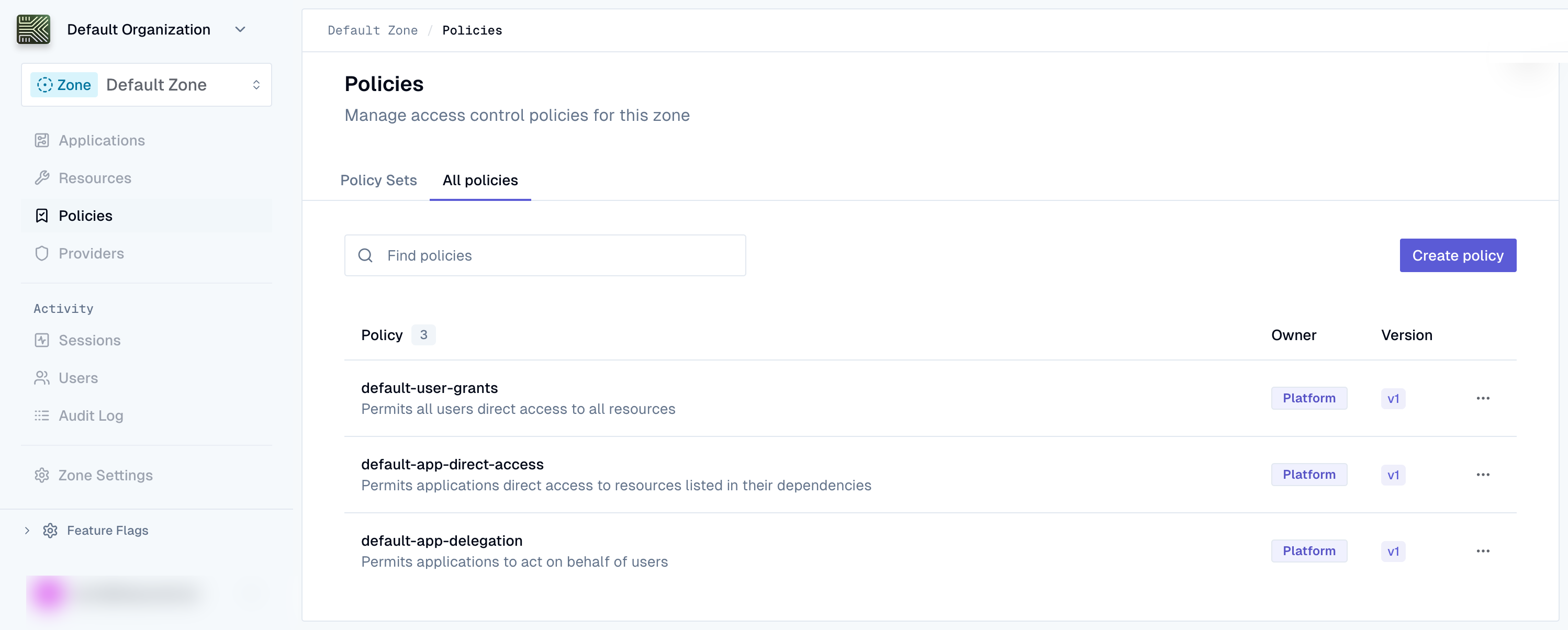
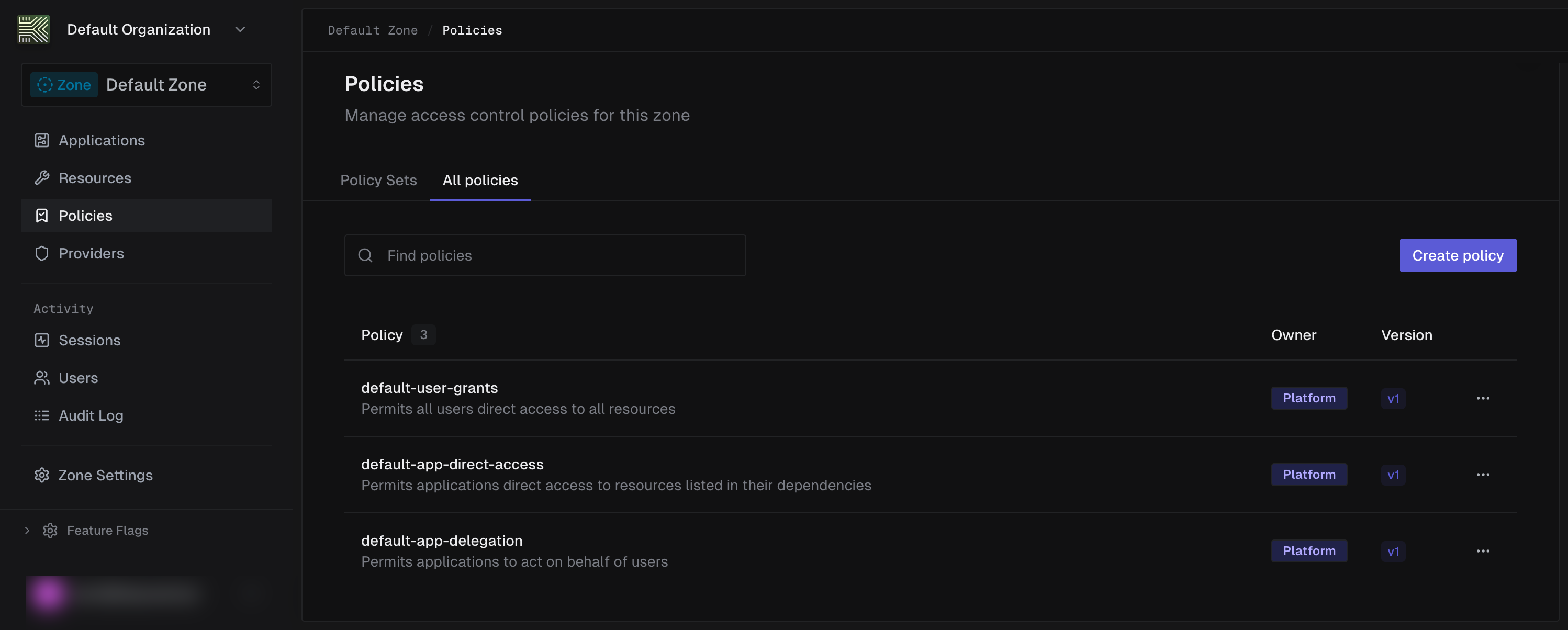
Once signed in, navigate to your zone and select Policies from the sidebar.
-
Review the schema
List the available Cedar schemas for your zone to find the latest schema version.
schemas = requests.get(f"{base}/zones/{zone_id}/policy-schemas",headers=headers,).json()print(schemas)Example response
{"items": [{"id": "01JKXYZ123ABC456DEF789GH","version": "2026-03-16","cedar_schema": "namespace Keycard {\n entity User = {\n \"email\": String,\n };\n entity Application = {\n \"credential_type\": String,\n \"dependencies\": Set<Resource>,\n };\n entity Resource = {\n \"name\": String,\n };\n};\ntype Claims = {\n \"email\": String?,\n \"groups\": Set<String>?,\n};\ncontext = {\n \"on_behalf\": Bool,\n \"subject\": User,\n \"scopes\": Set<String>,\n \"actor_claims\": Claims,\n \"subject_claims\": Claims,\n};\n","created_at": "2026-03-16T10:00:00Z"}]}List the available Cedar schemas for your zone to find the latest schema version.
curl https://api.keycard.ai/zones/$ZONE_ID/policy-schemas \-H "Authorization: Bearer $ACCESS_TOKEN"Example response
{"items": [{"id": "01JKXYZ123ABC456DEF789GH","version": "2026-03-16","cedar_schema": "namespace Keycard {\n entity User = {\n \"email\": String,\n };\n entity Application = {\n \"credential_type\": String,\n \"dependencies\": Set<Resource>,\n };\n entity Resource = {\n \"name\": String,\n };\n};\ntype Claims = {\n \"email\": String?,\n \"groups\": Set<String>?,\n};\ncontext = {\n \"on_behalf\": Bool,\n \"subject\": User,\n \"scopes\": Set<String>,\n \"actor_claims\": Claims,\n \"subject_claims\": Claims,\n};\n","created_at": "2026-03-16T10:00:00Z"}]}List the available Cedar schemas for your zone to find the latest schema version.
curl https://api.keycard.ai/zones/{{zone_id}}/policy-schemas \-H "Authorization: Bearer {{token}}"Example response
{"items": [{"id": "01JKXYZ123ABC456DEF789GH","version": "2026-03-16","cedar_schema": "namespace Keycard {\n entity User = {\n \"email\": String,\n };\n entity Application = {\n \"credential_type\": String,\n \"dependencies\": Set<Resource>,\n };\n entity Resource = {\n \"name\": String,\n };\n};\ntype Claims = {\n \"email\": String?,\n \"groups\": Set<String>?,\n};\ncontext = {\n \"on_behalf\": Bool,\n \"subject\": User,\n \"scopes\": Set<String>,\n \"actor_claims\": Claims,\n \"subject_claims\": Claims,\n};\n","created_at": "2026-03-16T10:00:00Z"}]}The Console policy editor validates against the latest schema automatically. When editing a policy, the Cedar preview sidebar displays available entity types and context attributes.
Example response
{"items": [{"id": "01JKXYZ123ABC456DEF789GH","version": "2026-03-16","cedar_schema": "namespace Keycard {\n entity RegistrationMethod enum [\"managed\", \"dcr\"];\n entity CredentialType enum [\"token\", \"password\", \"public-key\", \"url\", \"public\"];\n\n entity User {\n email: String,\n };\n\n entity Application {\n name: String,\n registration_method: RegistrationMethod,\n credential_type?: CredentialType,\n traits: Set<String>,\n dependencies: Set<Resource>,\n };\n\n entity Resource {\n identifier: String,\n name: String,\n scopes: Set<String>,\n };\n\n type Claims = {\n email?: String,\n groups?: Set<String>,\n };\n\n action any appliesTo {\n principal: [User, Application],\n resource: Resource,\n context: {\n on_behalf: Bool,\n subject?: User,\n scopes?: Set<String>,\n actor_claims?: Claims,\n subject_claims?: Claims,\n },\n };\n}\n","created_at": "2026-03-16T10:00:00Z"}]} -
Create a policy
Create a named policy container. You’ll add the Cedar content as a version in the next step.
policy = requests.post(f"{base}/zones/{zone_id}/policies",headers=headers,json={"name": "require-token-credentials","description": "Require token credential type for all application access",},).json()policy_id = policy["id"]Example response
{"id": "01JKXYZ456DEF789ABC123GH","zone_id": "01JKXYZ789ABC456DEF123GH","name": "require-token-credentials","description": "Require token credential type for all application access","owner_type": "customer","created_at": "2026-03-03T10:00:00Z","updated_at": "2026-03-03T10:00:00Z","archived_at": null}Save the
idfrom the response. You’ll need it for the next step.Create a named policy container. You’ll add the Cedar content as a version in the next step.
curl -X POST https://api.keycard.ai/zones/$ZONE_ID/policies \-H "Authorization: Bearer $ACCESS_TOKEN" \-H "Content-Type: application/json" \-d '{"name": "require-token-credentials","description": "Require token credential type for all application access"}'Example response
{"id": "01JKXYZ456DEF789ABC123GH","zone_id": "01JKXYZ789ABC456DEF123GH","name": "require-token-credentials","description": "Require token credential type for all application access","owner_type": "customer","created_at": "2026-03-03T10:00:00Z","updated_at": "2026-03-03T10:00:00Z","archived_at": null}Save the
idfrom the response. You’ll need it for the next step.Create a named policy container. You’ll add the Cedar content as a version in the next step.
curl -X POST https://api.keycard.ai/zones/{{zone_id}}/policies \-H "Authorization: Bearer {{token}}" \-H "Content-Type: application/json" \-d '{"name": "require-token-credentials","description": "Require token credential type for all application access"}'Example response
{"id": "01JKXYZ456DEF789ABC123GH","zone_id": "01JKXYZ789ABC456DEF123GH","name": "require-token-credentials","description": "Require token credential type for all application access","owner_type": "customer","created_at": "2026-03-03T10:00:00Z","updated_at": "2026-03-03T10:00:00Z","archived_at": null}Save the
idfrom the response. You’ll need it for the next step.Navigate to Policies in the sidebar and click Create policy.
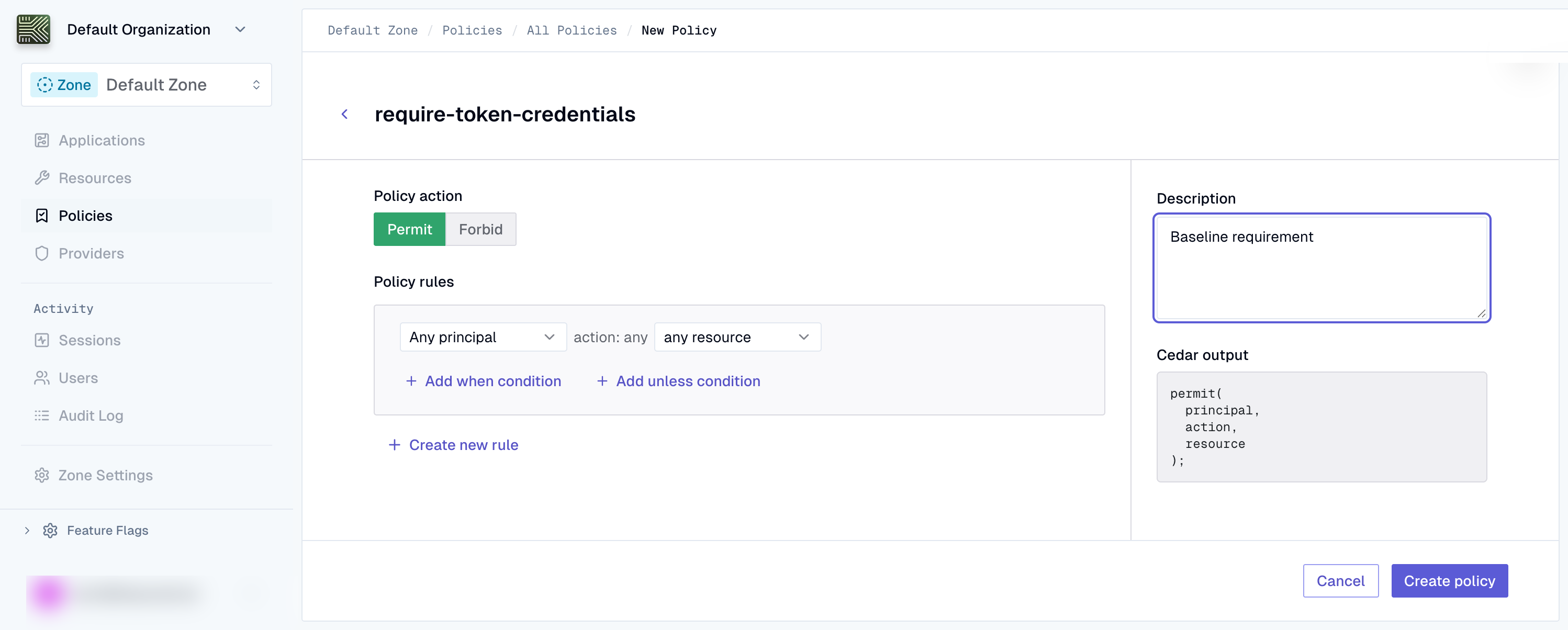
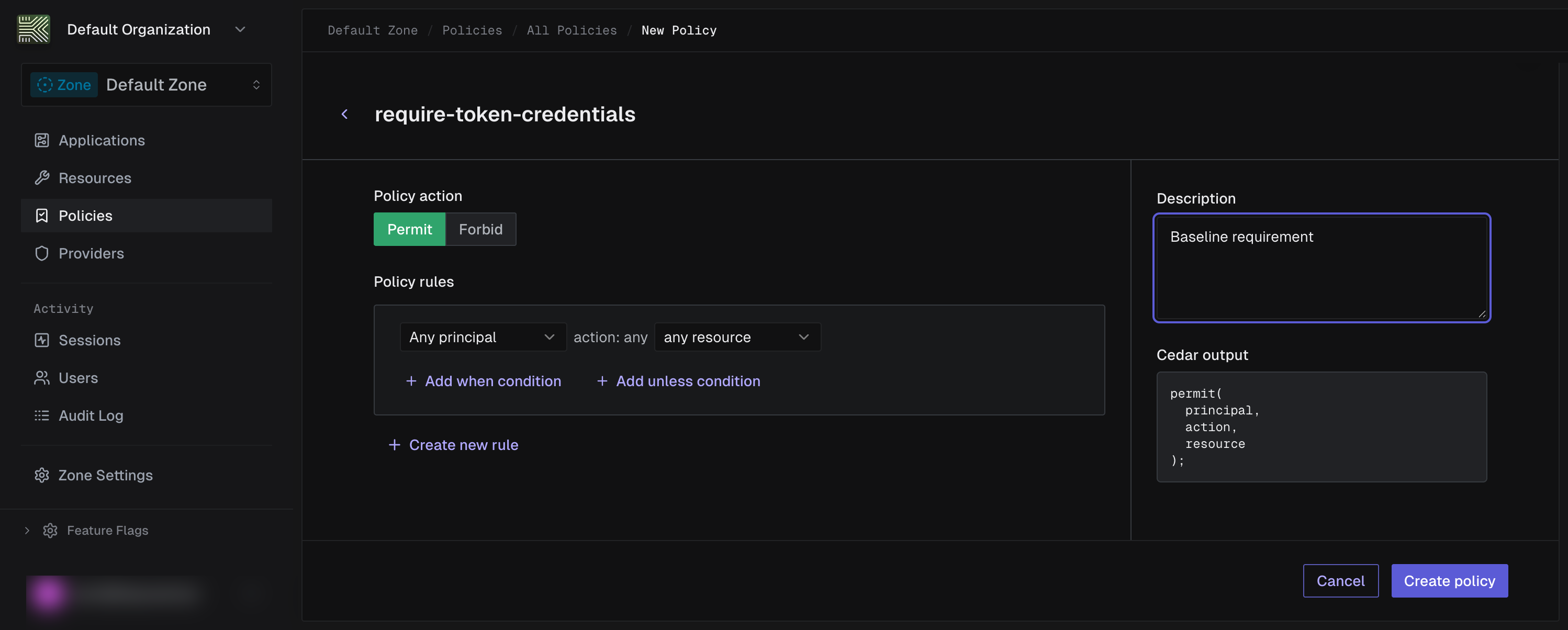
Enter a name (e.g.,
require-token-credentials) and an optional description. -
Author the policy version
Create an immutable policy version with Cedar content and a schema version. Submit the policy as
cedar_raw(human readable Cedar syntax). The API also acceptscedar_json(JSON AST). You must provide exactly one.cedar_policy = """\@id("require-token-credentials")forbid (principal is Keycard::Application,action,resource) unless {principal has credential_type && principal.credential_type == Keycard::CredentialType::"token"};"""version = requests.post(f"{base}/zones/{zone_id}/policies/{policy_id}/versions",headers=headers,json={"cedar_raw": cedar_policy,"schema_version": "2026-03-16",},).json()version_id = version["id"]Example response
{"id": "01JKXYZ789ABC456DEF123GH","policy_id": "01JKXYZ456DEF789ABC123GH","version": 1,"schema_version": "2026-03-16","cedar_raw": "@id(\"require-token-credentials\")\nforbid (\n principal is Keycard::Application,\n action,\n resource\n) unless {\n principal has credential_type && principal.credential_type == \"token\"\n};","content_sha256": "a3f5d8c9e2b1a4c7d6e5f8a9b2c1d4e7","created_at": "2026-03-03T10:01:00Z","archived_at": null}Save the
idfrom the response. This is thepolicy_version_idyou’ll reference in the policy set manifest.Create an immutable policy version with Cedar content and a schema version. Submit the policy as
cedar_raw(human readable Cedar syntax). The API also acceptscedar_json(JSON AST). You must provide exactly one.curl -X POST https://api.keycard.ai/zones/$ZONE_ID/policies/$POLICY_ID/versions \-H "Authorization: Bearer $ACCESS_TOKEN" \-H "Content-Type: application/json" \-d '{"cedar_raw": "@id(\"require-token-credentials\")\nforbid (\n principal is Keycard::Application,\n action,\n resource\n) unless {\n principal has credential_type && principal.credential_type == Keycard::CredentialType::\"token\"\n};","schema_version": "2026-03-16"}'Example response
{"id": "01JKXYZ789ABC456DEF123GH","policy_id": "01JKXYZ456DEF789ABC123GH","version": 1,"schema_version": "2026-03-16","cedar_raw": "@id(\"require-token-credentials\")\nforbid (\n principal is Keycard::Application,\n action,\n resource\n) unless {\n principal has credential_type && principal.credential_type == \"token\"\n};","content_sha256": "a3f5d8c9e2b1a4c7d6e5f8a9b2c1d4e7","created_at": "2026-03-03T10:01:00Z","archived_at": null}Save the
idfrom the response. This is thepolicy_version_idyou’ll reference in the policy set manifest.Create an immutable policy version with Cedar content and a schema version. Submit the policy as
cedar_raw(human readable Cedar syntax). The API also acceptscedar_json(JSON AST). You must provide exactly one.curl -X POST https://api.keycard.ai/zones/{{zone_id}}/policies/{{policy_id}}/versions \-H "Authorization: Bearer {{token}}" \-H "Content-Type: application/json" \-d '{"cedar_raw": "@id(\"require-token-credentials\")\nforbid (\n principal is Keycard::Application,\n action,\n resource\n) unless {\n principal has credential_type && principal.credential_type == Keycard::CredentialType::\"token\"\n};","schema_version": "2026-03-16"}'Example response
{"id": "01JKXYZ789ABC456DEF123GH","policy_id": "01JKXYZ456DEF789ABC123GH","version": 1,"schema_version": "2026-03-16","cedar_raw": "@id(\"require-token-credentials\")\nforbid (\n principal is Keycard::Application,\n action,\n resource\n) unless {\n principal has credential_type && principal.credential_type == \"token\"\n};","content_sha256": "a3f5d8c9e2b1a4c7d6e5f8a9b2c1d4e7","created_at": "2026-03-03T10:01:00Z","archived_at": null}Save the
idfrom the response. This is thepolicy_version_idyou’ll reference in the policy set manifest.Use the rule builder to configure the policy effect, principal, and conditions. The Cedar preview sidebar on the right shows the generated Cedar in real time.
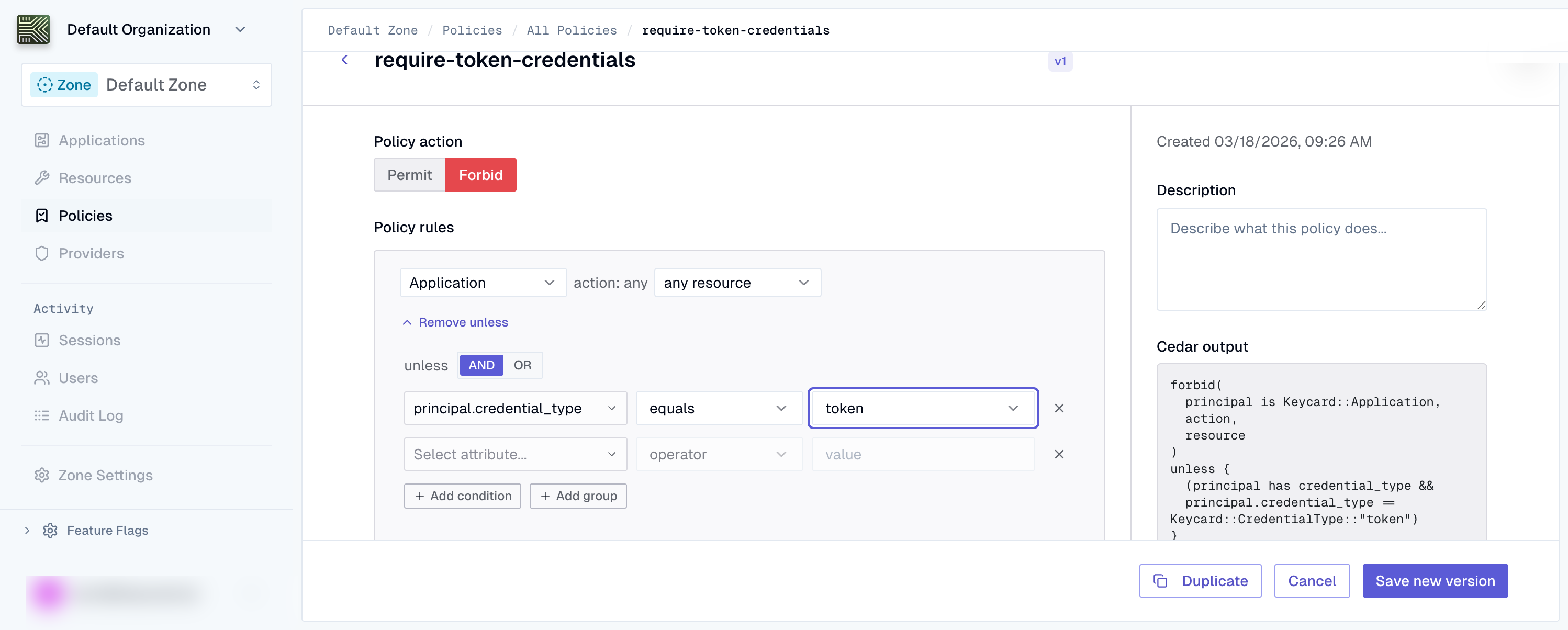
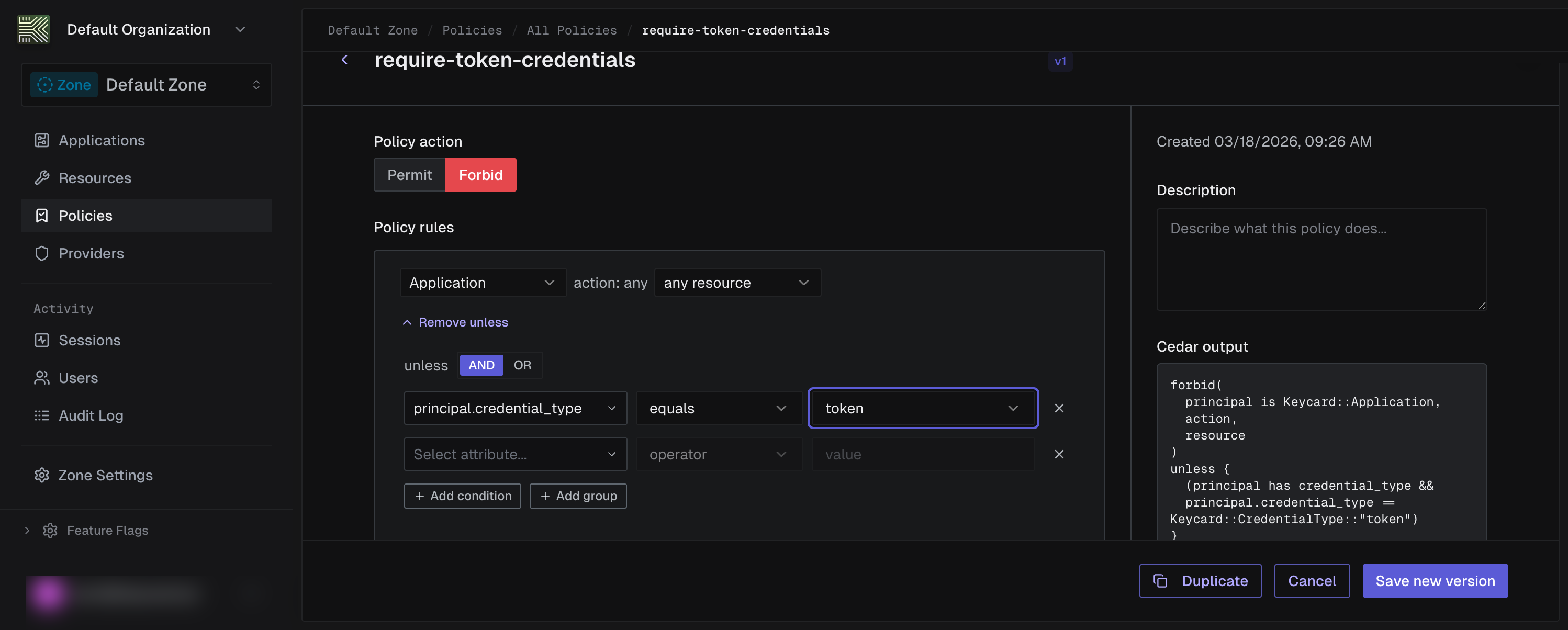
- Set the effect to
forbid - Set the principal to
Keycard::Application - Add an unless condition:
principal has credential_type && principal.credential_type == "token" - Click Create policy to save the policy and its first version
Example response
{"id": "01JKXYZ789ABC456DEF123GH","policy_id": "01JKXYZ456DEF789ABC123GH","version": 1,"schema_version": "2026-03-16","cedar_raw": "@id(\"require-token-credentials\")\nforbid (\n principal is Keycard::Application,\n action,\n resource\n) unless {\n principal has credential_type && principal.credential_type == Keycard::CredentialType::\"token\"\n};","content_sha256": "a3f5d8c9e2b1a4c7d6e5f8a9b2c1d4e7","created_at": "2026-03-03T10:01:00Z","archived_at": null}Save the
idfrom the response. This is thepolicy_version_idyou’ll reference in the policy set manifest. - Set the effect to
-
Create a policy set
Create a policy set that will serve as the deployment unit for your policies.
policy_set = requests.post(f"{base}/zones/{zone_id}/policy-sets",headers=headers,json={"name": "custom-zone-policies","scope_type": "zone",},).json()policy_set_id = policy_set["id"]Example response
{"id": "01JKXYZ123ABC789DEF456GH","zone_id": "01JKXYZ789ABC456DEF123GH","name": "custom-zone-policies","scope_type": "zone","owner_type": "customer","created_at": "2026-03-03T10:02:00Z","updated_at": "2026-03-03T10:02:00Z","archived_at": null}Save the
idfrom the response.Create a policy set that will serve as the deployment unit for your policies.
curl -X POST https://api.keycard.ai/zones/$ZONE_ID/policy-sets \-H "Authorization: Bearer $ACCESS_TOKEN" \-H "Content-Type: application/json" \-d '{"name": "custom-zone-policies","scope_type": "zone"}'Example response
{"id": "01JKXYZ123ABC789DEF456GH","zone_id": "01JKXYZ789ABC456DEF123GH","name": "custom-zone-policies","scope_type": "zone","owner_type": "customer","created_at": "2026-03-03T10:02:00Z","updated_at": "2026-03-03T10:02:00Z","archived_at": null}Save the
idfrom the response.Create a policy set that will serve as the deployment unit for your policies.
curl -X POST https://api.keycard.ai/zones/{{zone_id}}/policy-sets \-H "Authorization: Bearer {{token}}" \-H "Content-Type: application/json" \-d '{"name": "custom-zone-policies","scope_type": "zone"}'Example response
{"id": "01JKXYZ123ABC789DEF456GH","zone_id": "01JKXYZ789ABC456DEF123GH","name": "custom-zone-policies","scope_type": "zone","owner_type": "customer","created_at": "2026-03-03T10:02:00Z","updated_at": "2026-03-03T10:02:00Z","archived_at": null}Save the
idfrom the response.Navigate to the Policy Sets tab and click New Policy Set.
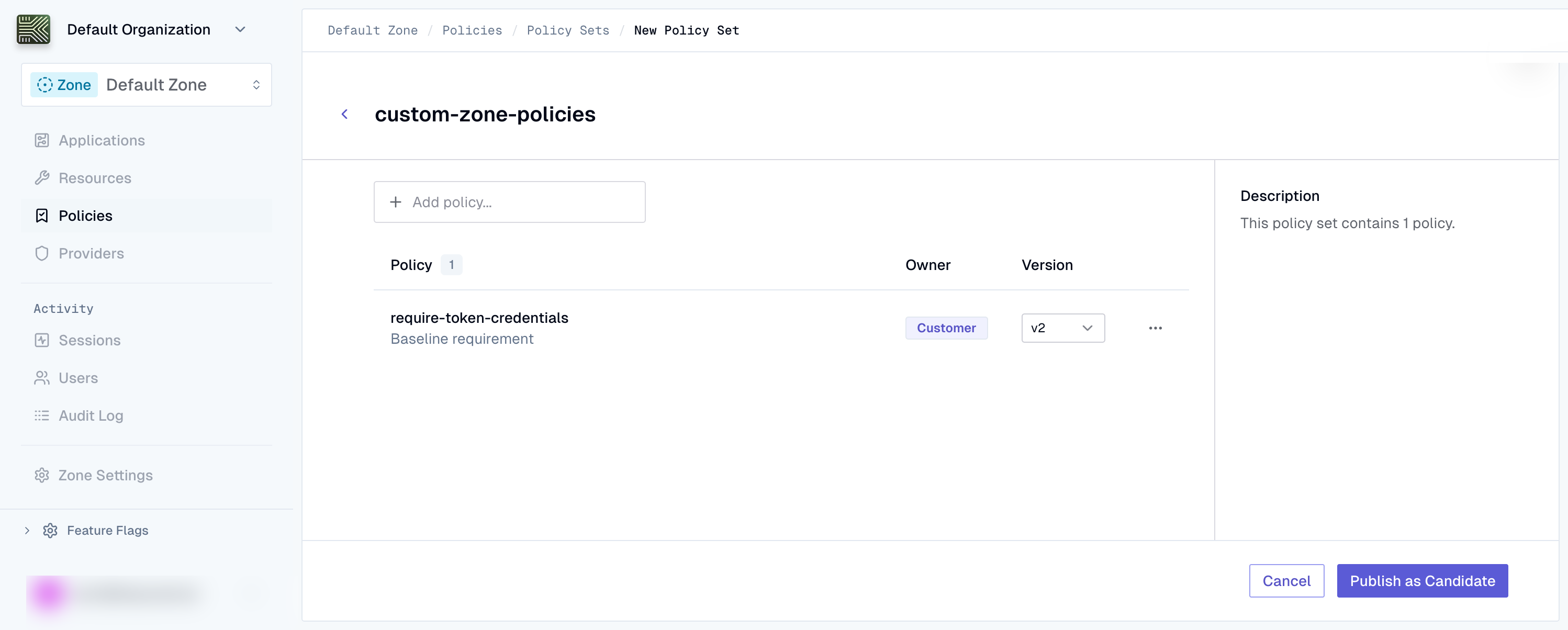
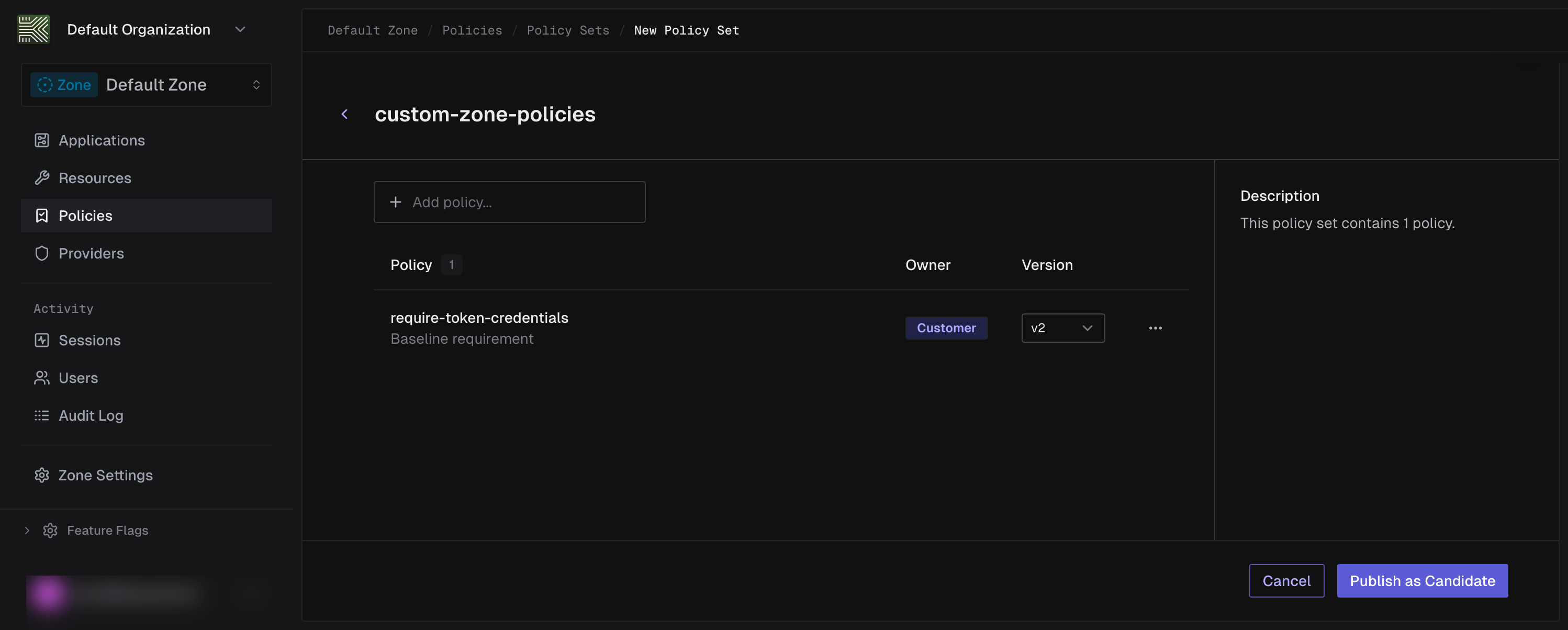
Enter a name (e.g.,
custom-zone-policies), then use the Add policy combobox to select the policies you want to include. -
Create a policy set version
Create an immutable policy set version with a manifest that references your custom policy version.
ps_version = requests.post(f"{base}/zones/{zone_id}/policy-sets/{policy_set_id}/versions",headers=headers,json={"manifest": {"entries": [{"policy_id": policy_id,"policy_version_id": version_id,}]},"schema_version": "2026-03-16",},).json()ps_version_id = ps_version["id"]Example response
{"id": "01JKXYZ456DEF123ABC789GH","policy_set_id": "01JKXYZ123ABC789DEF456GH","version": 1,"schema_version": "2026-03-16","manifest": {"entries": [{"policy_id": "01JKXYZ456DEF789ABC123GH","policy_version_id": "01JKXYZ789ABC456DEF123GH"}]},"manifest_sha256": "b7e9d2a5c8f1d4e7a9b2c5d8e1f4a7b9","created_at": "2026-03-03T10:03:00Z","archived_at": null}Save the
idfrom the response.Create an immutable policy set version with a manifest that references your custom policy version.
curl -X POST https://api.keycard.ai/zones/$ZONE_ID/policy-sets/$POLICY_SET_ID/versions \-H "Authorization: Bearer $ACCESS_TOKEN" \-H "Content-Type: application/json" \-d '{"manifest": {"entries": [{"policy_id": "<your-policy-id>","policy_version_id": "<your-policy-version-id>"}]},"schema_version": "2026-03-16"}'Example response
{"id": "01JKXYZ456DEF123ABC789GH","policy_set_id": "01JKXYZ123ABC789DEF456GH","version": 1,"schema_version": "2026-03-16","manifest": {"entries": [{"policy_id": "01JKXYZ456DEF789ABC123GH","policy_version_id": "01JKXYZ789ABC456DEF123GH"}]},"manifest_sha256": "b7e9d2a5c8f1d4e7a9b2c5d8e1f4a7b9","created_at": "2026-03-03T10:03:00Z","archived_at": null}Save the
idfrom the response.Create an immutable policy set version with a manifest that references your custom policy version.
curl -X POST https://api.keycard.ai/zones/{{zone_id}}/policy-sets/{{policy_set_id}}/versions \-H "Authorization: Bearer {{token}}" \-H "Content-Type: application/json" \-d '{{ps_version_body}}'The pre-request script in the Postman collection automatically builds the request body by merging your custom policy entry with the managed policy entries.
Example response
{"id": "01JKXYZ456DEF123ABC789GH","policy_set_id": "01JKXYZ123ABC789DEF456GH","version": 1,"schema_version": "2026-03-16","manifest": {"entries": [{"policy_id": "01JKXYZ456DEF789ABC123GH","policy_version_id": "01JKXYZ789ABC456DEF123GH"}]},"manifest_sha256": "b7e9d2a5c8f1d4e7a9b2c5d8e1f4a7b9","created_at": "2026-03-03T10:03:00Z","archived_at": null}Save the
idfrom the response.Select the desired policy versions using the version dropdowns for each policy in the set. Then click Publish as Candidate.
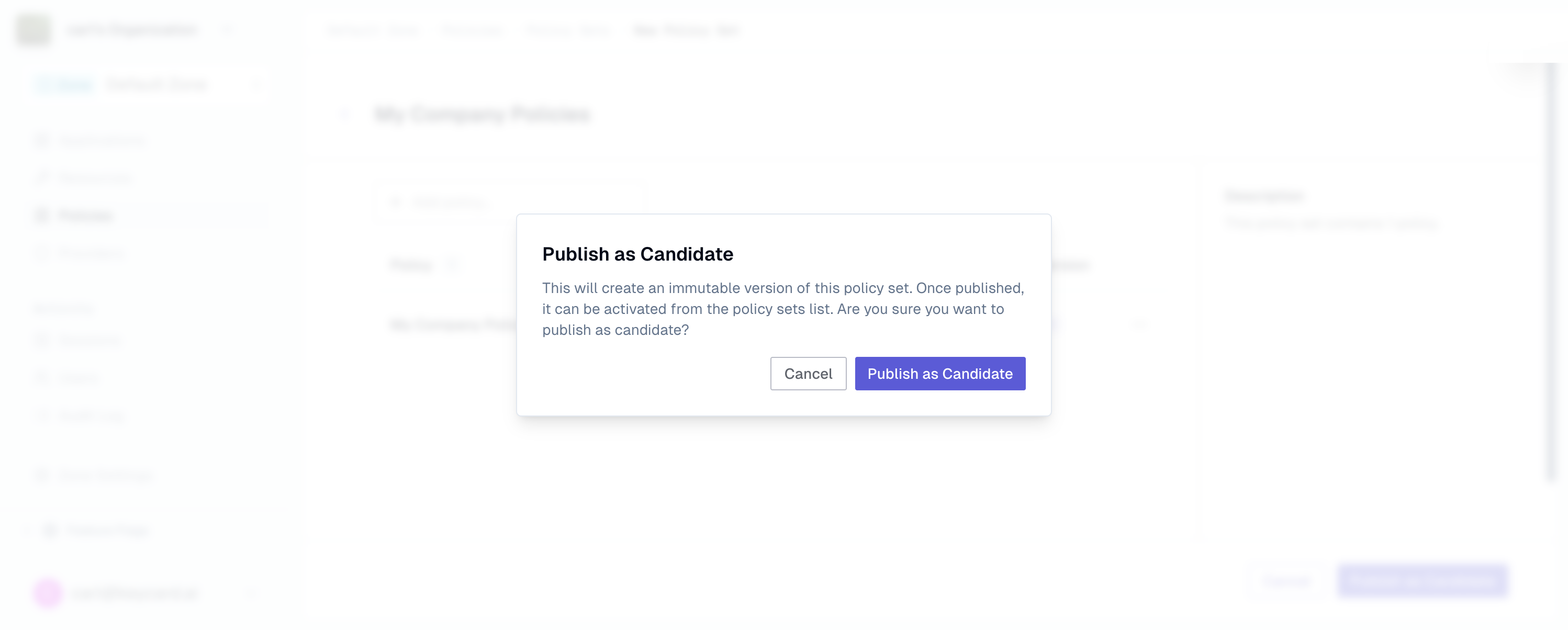
Confirm the publish in the dialog. This creates an immutable policy set version with the selected policy versions pinned in its manifest.
Example response
{"id": "01JKXYZ456DEF123ABC789GH","policy_set_id": "01JKXYZ123ABC789DEF456GH","version": 1,"schema_version": "2026-03-16","manifest": {"entries": [{"policy_id": "01JKXYZ456DEF789ABC123GH","policy_version_id": "01JKXYZ789ABC456DEF123GH"}]},"manifest_sha256": "b7e9d2a5c8f1d4e7a9b2c5d8e1f4a7b9","created_at": "2026-03-03T10:03:00Z","archived_at": null}Save the
idfrom the response. -
Activate the policy set
Bind the policy set version as the active policy set for your zone.
response = requests.patch(f"{base}/zones/{zone_id}/policy-sets/{policy_set_id}/versions/{ps_version_id}",headers=headers,json={"active": True},).json()Example response
{"id": "01JKXYZ456DEF123ABC789GH","policy_set_id": "01JKXYZ123ABC789DEF456GH","version": 1,"schema_version": "2026-03-16","manifest": {"entries": [{"policy_id": "01JKXYZ456DEF789ABC123GH","policy_version_id": "01JKXYZ789ABC456DEF123GH"}]},"manifest_sha256": "b7e9d2a5c8f1d4e7a9b2c5d8e1f4a7b9","active": true,"created_at": "2026-03-03T10:03:00Z","archived_at": null}Bind the policy set version as the active policy set for your zone.
curl -X PATCH https://api.keycard.ai/zones/$ZONE_ID/policy-sets/$POLICY_SET_ID/versions/$VERSION_ID \-H "Authorization: Bearer $ACCESS_TOKEN" \-H "Content-Type: application/json" \-d '{"active": true}'Example response
{"id": "01JKXYZ456DEF123ABC789GH","policy_set_id": "01JKXYZ123ABC789DEF456GH","version": 1,"schema_version": "2026-03-16","manifest": {"entries": [{"policy_id": "01JKXYZ456DEF789ABC123GH","policy_version_id": "01JKXYZ789ABC456DEF123GH"}]},"manifest_sha256": "b7e9d2a5c8f1d4e7a9b2c5d8e1f4a7b9","active": true,"created_at": "2026-03-03T10:03:00Z","archived_at": null}Bind the policy set version as the active policy set for your zone.
curl -X PATCH https://api.keycard.ai/zones/{{zone_id}}/policy-sets/{{policy_set_id}}/versions/{{version_id}} \-H "Authorization: Bearer {{token}}" \-H "Content-Type: application/json" \-d '{"active": true}'Example response
{"id": "01JKXYZ456DEF123ABC789GH","policy_set_id": "01JKXYZ123ABC789DEF456GH","version": 1,"schema_version": "2026-03-16","manifest": {"entries": [{"policy_id": "01JKXYZ456DEF789ABC123GH","policy_version_id": "01JKXYZ789ABC456DEF123GH"}]},"manifest_sha256": "b7e9d2a5c8f1d4e7a9b2c5d8e1f4a7b9","active": true,"created_at": "2026-03-03T10:03:00Z","archived_at": null}From the Policy Sets list, click the candidate policy set to open its detail page. Click the Activate button.
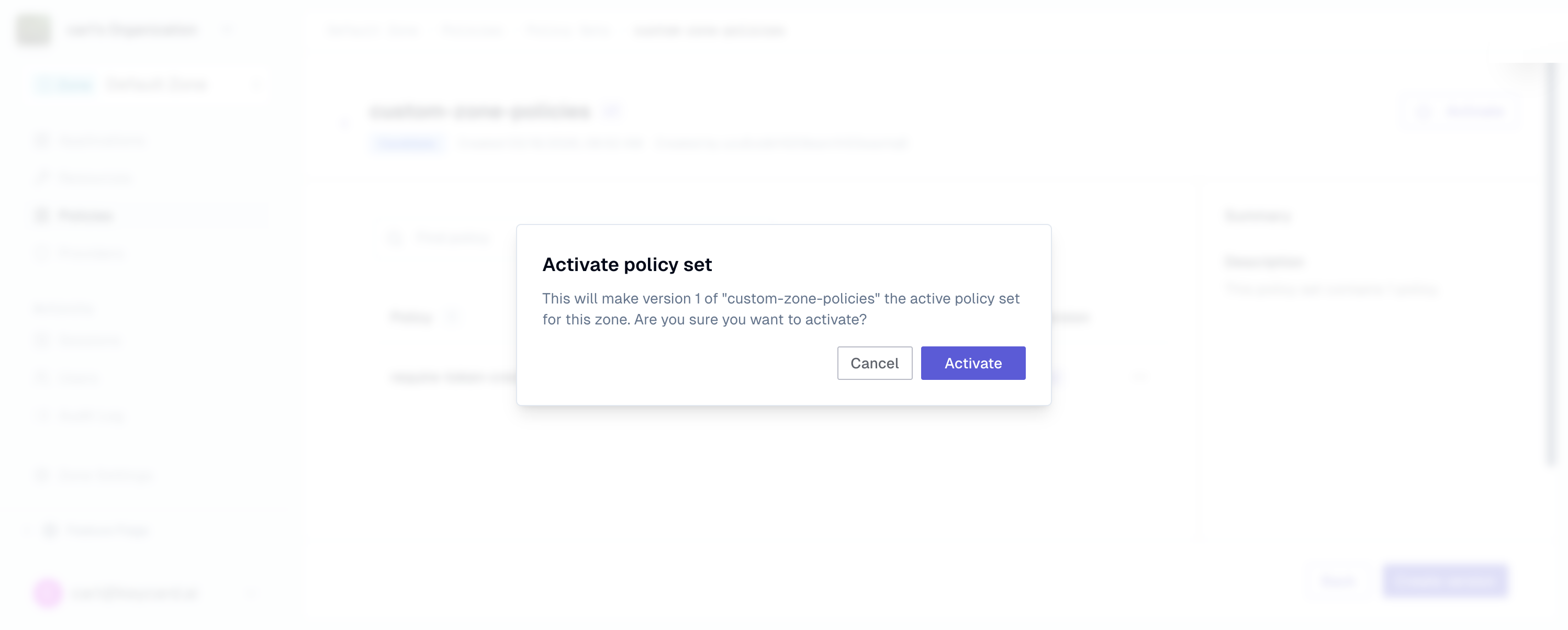
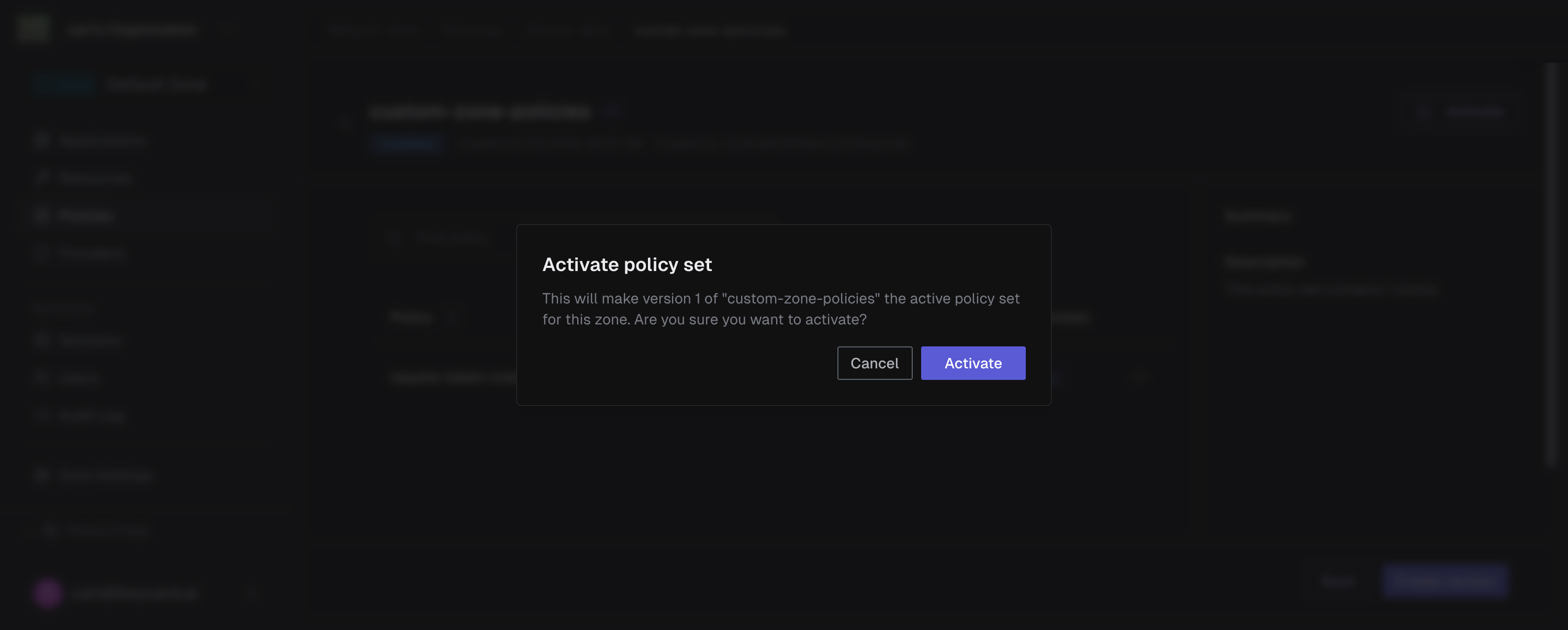
Confirm the activation in the dialog. This deploys the policy set zone-wide and atomically replaces the currently active policy set.
Example response
{"id": "01JKXYZ456DEF123ABC789GH","policy_set_id": "01JKXYZ123ABC789DEF456GH","version": 1,"schema_version": "2026-03-16","manifest": {"entries": [{"policy_id": "01JKXYZ456DEF789ABC123GH","policy_version_id": "01JKXYZ789ABC456DEF123GH"}]},"manifest_sha256": "b7e9d2a5c8f1d4e7a9b2c5d8e1f4a7b9","active": true,"created_at": "2026-03-03T10:03:00Z","archived_at": null} -
Verify
Confirm the policy set is active for your zone.
policy_sets = requests.get(f"{base}/zones/{zone_id}/policy-sets",headers=headers,).json()for ps in policy_sets["items"]:print(ps["name"], ps.get("active"), ps.get("mode"))Example response
{"items": [{"id": "01JKXYZ123ABC789DEF456GH","zone_id": "01JKXYZ789ABC456DEF123GH","name": "custom-zone-policies","scope_type": "zone","owner_type": "customer","active": true,"mode": "active","created_at": "2026-03-03T10:02:00Z","updated_at": "2026-03-03T10:03:00Z"}]}You should see your policy set with
"active": trueand"mode": "active".Confirm the policy set is active for your zone.
curl https://api.keycard.ai/zones/$ZONE_ID/policy-sets \-H "Authorization: Bearer $ACCESS_TOKEN"Example response
{"items": [{"id": "01JKXYZ123ABC789DEF456GH","zone_id": "01JKXYZ789ABC456DEF123GH","name": "custom-zone-policies","scope_type": "zone","owner_type": "customer","active": true,"mode": "active","created_at": "2026-03-03T10:02:00Z","updated_at": "2026-03-03T10:03:00Z"}]}You should see your policy set with
"active": trueand"mode": "active".Confirm the policy set is active for your zone.
curl https://api.keycard.ai/zones/{{zone_id}}/policy-sets \-H "Authorization: Bearer {{token}}"Example response
{"items": [{"id": "01JKXYZ123ABC789DEF456GH","zone_id": "01JKXYZ789ABC456DEF123GH","name": "custom-zone-policies","scope_type": "zone","owner_type": "customer","active": true,"mode": "active","created_at": "2026-03-03T10:02:00Z","updated_at": "2026-03-03T10:03:00Z"}]}You should see your policy set with
"active": trueand"mode": "active".Navigate to the Policy Sets tab. Your active policy set is indicated by a green accent bar and an Active Policy Set badge.
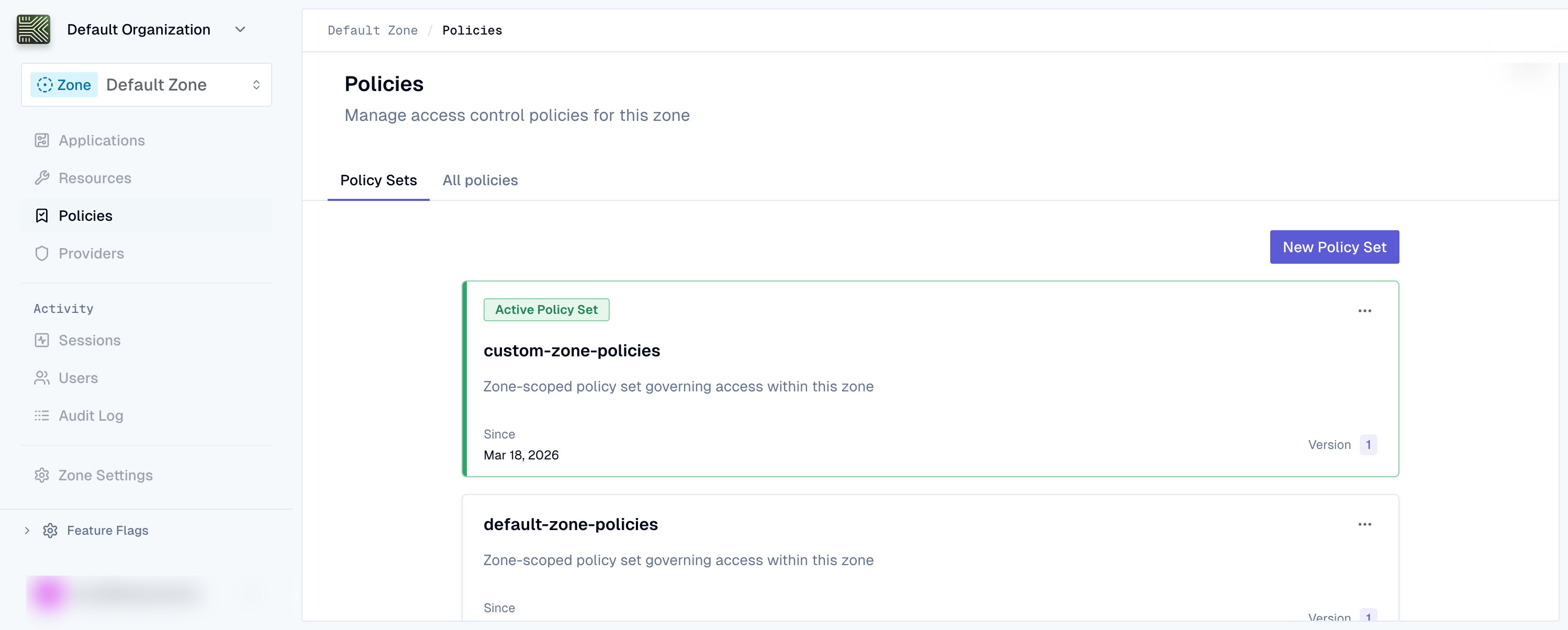
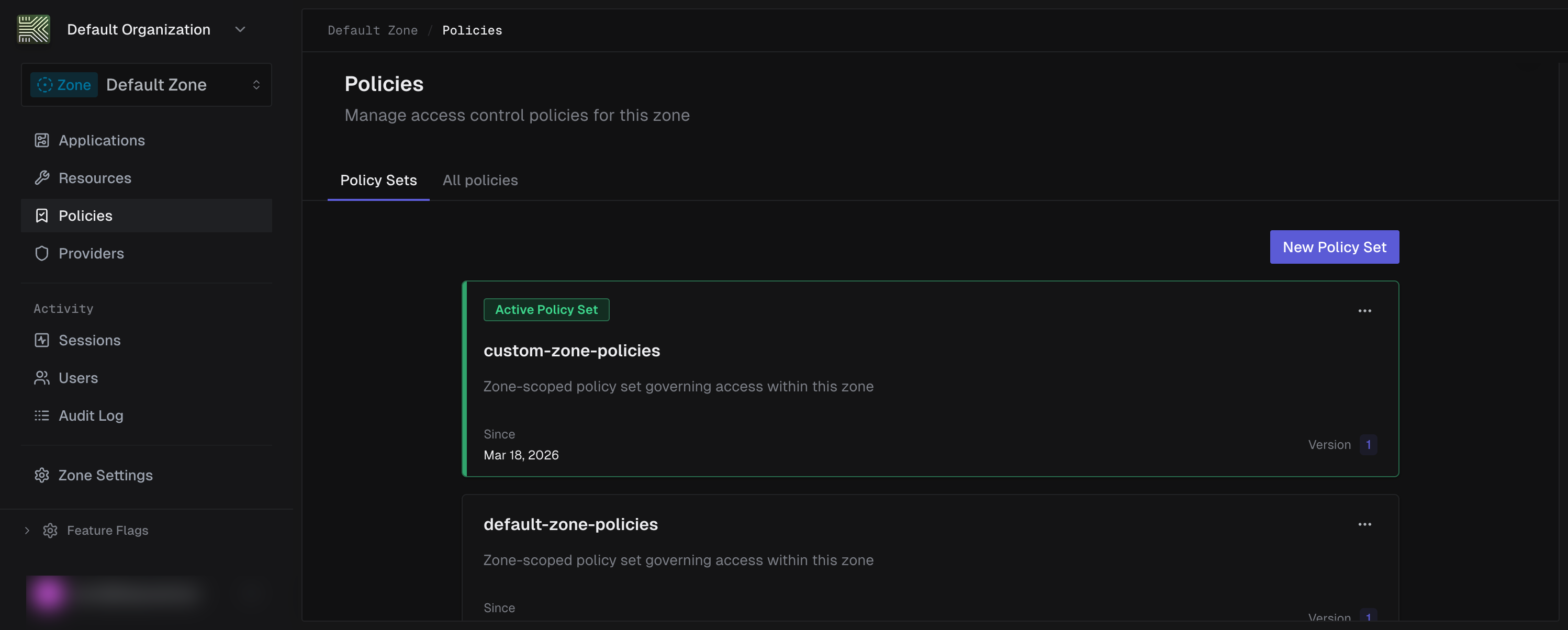
Verify that your custom policy set shows as active with the correct policies listed.
-
Rollback
To revert to the previous managed policy set, re-activate the platform-owned policy set version that was active before your custom set replaced it.
response = requests.patch(f"{base}/zones/{zone_id}/policy-sets/{managed_ps_id}/versions/{managed_ps_version_id}",headers=headers,json={"active": True},).json()Example response
{"id": "01JKXYZ999AAA888BBB777CC","policy_set_id": "01JKXYZ789DEF456ABC123GH","version": 2,"schema_version": "2026-03-16","active": true,"created_at": "2026-03-02T21:41:29Z","archived_at": null}The managed policy set is now active again, restoring the previous authorization baseline.
To revert to the previous managed policy set, re-activate the platform-owned policy set version that was active before your custom set replaced it.
curl -X PATCH https://api.keycard.ai/zones/$ZONE_ID/policy-sets/$MANAGED_PS_ID/versions/$MANAGED_PS_VERSION_ID \-H "Authorization: Bearer $ACCESS_TOKEN" \-H "Content-Type: application/json" \-d '{"active": true}'Example response
{"id": "01JKXYZ999AAA888BBB777CC","policy_set_id": "01JKXYZ789DEF456ABC123GH","version": 2,"schema_version": "2026-03-16","active": true,"created_at": "2026-03-02T21:41:29Z","archived_at": null}The managed policy set is now active again, restoring the previous authorization baseline.
To revert to the previous managed policy set, re-activate the platform-owned policy set version that was active before your custom set replaced it.
curl -X PATCH https://api.keycard.ai/zones/{{zone_id}}/policy-sets/{{managed_ps_id}}/versions/{{managed_ps_version_id}} \-H "Authorization: Bearer {{token}}" \-H "Content-Type: application/json" \-d '{"active": true}'Example response
{"id": "01JKXYZ999AAA888BBB777CC","policy_set_id": "01JKXYZ789DEF456ABC123GH","version": 2,"schema_version": "2026-03-16","active": true,"created_at": "2026-03-02T21:41:29Z","archived_at": null}The managed policy set is now active again, restoring the previous authorization baseline.
Open the active policy set and use the version selector to switch to the previous version. Click Activate on that version to restore it.
The previous version becomes active immediately. Keycard atomically replaces the current policy set, restoring the previous authorization baseline.
Example response
{"id": "01JKXYZ999AAA888BBB777CC","policy_set_id": "01JKXYZ789DEF456ABC123GH","version": 2,"schema_version": "2026-03-16","active": true,"created_at": "2026-03-02T21:41:29Z","archived_at": null}The managed policy set is now active again, restoring the previous authorization baseline.
Examples
Section titled “Examples”These examples show common policy patterns for real-world deployments. Each includes the Cedar policy, an explanation of when to use it, and API calls to create it.
Prevent shadow server access by requiring token-based credentials
This policy blocks applications that don’t use token-based credentials from accessing resources. It prevents shadow servers (services using static secrets instead of short-lived tokens) from obtaining upstream access through Keycard.
Applications configured with workload identity federation receive a credential_type of "token", meaning they authenticate with short-lived, verifiable tokens rather than long-lived secrets. This forbid policy denies access to any application that doesn’t meet that requirement.
The credential_type attribute is a Keycard::CredentialType enum entity. Other possible values are Keycard::CredentialType::"password" (client ID & secret), Keycard::CredentialType::"public-key" (key-based assertion), Keycard::CredentialType::"url" (URL-based identity), and Keycard::CredentialType::"public" (no secret). The attribute is optional and may be absent if the application’s credential type is not yet determined. See the entity properties reference for the full list.
import requests
base = "https://api.keycard.ai"headers = {"Authorization": f"Bearer {ACCESS_TOKEN}"}
policy = requests.post(    f"{base}/zones/{zone_id}/policies",    headers=headers,    json={        "name": "require-workload-identity",        "description": "Block applications without token-based credentials to prevent shadow server access",    },).json()
cedar_policy = """\@id("require-workload-identity")forbid (  principal is Keycard::Application,  action,  resource) unless {  principal has credential_type && principal.credential_type == Keycard::CredentialType::"token"};"""
version = requests.post(    f"{base}/zones/{zone_id}/policies/{policy['id']}/versions",    headers=headers,    json={        "cedar_raw": cedar_policy,        "schema_version": "2026-03-16",    },).json()
curl -X POST https://api.keycard.ai/zones/$ZONE_ID/policies \ -H "Authorization: Bearer $ACCESS_TOKEN" \ -H "Content-Type: application/json" \ -d '{ "name": "require-workload-identity", "description": "Block applications without token-based credentials to prevent shadow server access" }'
curl -X POST https://api.keycard.ai/zones/$ZONE_ID/policies/$POLICY_ID/versions \ -H "Authorization: Bearer $ACCESS_TOKEN" \ -H "Content-Type: application/json" \ -d '{ "cedar_raw": "@id(\"require-workload-identity\")\nforbid (\n principal is Keycard::Application,\n action,\n resource\n) unless {\n principal has credential_type && principal.credential_type == Keycard::CredentialType::\"token\"\n};", "schema_version": "2026-03-16" }'Create the policy:
curl -X POST https://api.keycard.ai/zones/{{zone_id}}/policies \ -H "Authorization: Bearer {{token}}" \ -H "Content-Type: application/json" \ -d '{ "name": "require-workload-identity", "description": "Block applications without token-based credentials to prevent shadow server access" }'Create the policy version:
curl -X POST https://api.keycard.ai/zones/{{zone_id}}/policies/{{policy_id}}/versions \ -H "Authorization: Bearer {{token}}" \ -H "Content-Type: application/json" \ -d '{ "cedar_raw": "@id(\"require-workload-identity\")\nforbid (\n principal is Keycard::Application,\n action,\n resource\n) unless {\n principal has credential_type && principal.credential_type == Keycard::CredentialType::\"token\"\n};", "schema_version": "2026-03-16" }'Example response
{ "id": "01JKXYZ000III111JJJ222KK", "policy_id": "01JKXYZ999HHH000III111JJ", "version": 1, "schema_version": "2026-03-16", "cedar_raw": "@id(\"require-workload-identity\")\nforbid (\n principal is Keycard::Application,\n action,\n resource\n) unless {\n principal has credential_type && principal.credential_type == Keycard::CredentialType::\"token\"\n};", "content_sha256": "e6f7a8b9c0d1e2f3a4b5c6d7e8f9a0b1", "created_at": "2026-03-03T10:12:00Z", "archived_at": null}Grant access based on upstream IdP groups
This policy maps IdP group membership to resource access in Keycard. You manage who gets access from your existing identity provider (Okta, Entra ID, Google Workspace) rather than duplicating access rules.
When a user authenticates through an upstream IdP, Keycard captures their group claims. This permit policy checks those claims at authorization time, granting access to users who belong to a specific IdP group. In this example, members of the “Engineering” group in Okta receive access to all resources.
import requests
base = "https://api.keycard.ai"headers = {"Authorization": f"Bearer {ACCESS_TOKEN}"}
policy = requests.post(    f"{base}/zones/{zone_id}/policies",    headers=headers,    json={        "name": "permit-idp-engineering-group",        "description": "Grant access to users in the Engineering group from the upstream IdP",    },).json()
cedar_policy = """\@id("permit-idp-engineering-group")permit (  principal is Keycard::User,  action,  resource) when {  context has subject_claims &&  context.subject_claims has groups &&  context.subject_claims.groups.contains("Engineering")};"""
version = requests.post(    f"{base}/zones/{zone_id}/policies/{policy['id']}/versions",    headers=headers,    json={        "cedar_raw": cedar_policy,        "schema_version": "2026-03-16",    },).json()
curl -X POST https://api.keycard.ai/zones/$ZONE_ID/policies \ -H "Authorization: Bearer $ACCESS_TOKEN" \ -H "Content-Type: application/json" \ -d '{ "name": "permit-idp-engineering-group", "description": "Grant access to users in the Engineering group from the upstream IdP" }'
curl -X POST https://api.keycard.ai/zones/$ZONE_ID/policies/$POLICY_ID/versions \ -H "Authorization: Bearer $ACCESS_TOKEN" \ -H "Content-Type: application/json" \ -d '{ "cedar_raw": "@id(\"permit-idp-engineering-group\")\npermit (\n principal is Keycard::User,\n action,\n resource\n) when {\n context has subject_claims &&\n context.subject_claims has groups &&\n context.subject_claims.groups.contains(\"Engineering\")\n};", "schema_version": "2026-03-16" }'Create the policy:
curl -X POST https://api.keycard.ai/zones/{{zone_id}}/policies \ -H "Authorization: Bearer {{token}}" \ -H "Content-Type: application/json" \ -d '{ "name": "permit-idp-engineering-group", "description": "Grant access to users in the Engineering group from the upstream IdP" }'Create the policy version:
curl -X POST https://api.keycard.ai/zones/{{zone_id}}/policies/{{policy_id}}/versions \ -H "Authorization: Bearer {{token}}" \ -H "Content-Type: application/json" \ -d '{ "cedar_raw": "@id(\"permit-idp-engineering-group\")\npermit (\n principal is Keycard::User,\n action,\n resource\n) when {\n context has subject_claims &&\n context.subject_claims has groups &&\n context.subject_claims.groups.contains(\"Engineering\")\n};", "schema_version": "2026-03-16" }'Example response
{ "id": "01JKXYZ111JJJ222KKK333LL", "policy_id": "01JKXYZ000III111JJJ222KK", "version": 1, "schema_version": "2026-03-16", "cedar_raw": "@id(\"permit-idp-engineering-group\")\npermit (\n principal is Keycard::User,\n action,\n resource\n) when {\n context has subject_claims &&\n context.subject_claims has groups &&\n context.subject_claims.groups.contains(\"Engineering\")\n};", "content_sha256": "f7a8b9c0d1e2f3a4b5c6d7e8f9a0b1c2", "created_at": "2026-03-03T10:13:00Z", "archived_at": null}Audit Log Integration
Section titled “Audit Log Integration”Every policy mutation and authorization evaluation emits a structured audit event. These events give you a complete audit trail for compliance and debugging.
Policy management events
Section titled “Policy management events”| Event Action | Trigger |
|---|---|
| policy:create | New policy created |
| policy:update | Policy metadata updated |
| policy:archive | Policy soft-deleted |
| policy_version:create | New immutable version created |
| policy_set:create | New policy set created |
| policy_set:update | Policy set metadata updated |
| policy_set_version:create | New policy set version created |
| policy_set_version:activate | Enable the policy set version |
| policy_version:archive | Policy version soft-deleted |
| policy_set:archive | Policy set soft-deleted |
| policy_set_version:archive | Policy set version soft-deleted |
| policy_set_version:check | Authorization decision evaluated |
| policy_schema:set_default | Default schema changed for a zone |
Authorization evaluation events
Section titled “Authorization evaluation events”Keycard logs each authorization decision with:
- request_id correlates the decision to the originating request
- decision is the authorization outcome (allow or deny)
- determining_policies lists the policy IDs that determined the outcome
- policy_set_id identifies the active policy set that Keycard evaluated
- policy_set_version_id identifies the specific version of the policy set that was evaluated
- evaluation_status indicates whether all policies evaluated successfully (complete or partial)
- diagnostics contains
{policy_id, message}entries for evaluation errors or warnings - evaluated_at is the timestamp of when the evaluation occurred
- manifest_sha is the SHA-256 hash of the policy set manifest for integrity verification
Privacy
Section titled “Privacy”Audit events preserve privacy while maintaining a verifiable audit trail:
- Keycard never logs Cedar source, only SHA-256 hashes of policy content
- Entity attributes (email, name, scopes) never appear in plaintext
- Keycard never logs JWT claims
- Audit emission failures never block authorization decisions
Diagnosing policy-blocked actions
Section titled “Diagnosing policy-blocked actions”When a policy blocks a resource during token exchange, Keycard responds in one of two ways depending on whether the blocked resource is the primary resource or a dependency.
Two types of policy denial
Section titled “Two types of policy denial”| Hard denial | Soft denial (dependency) | |
|---|---|---|
| What is blocked | The primary resource in the token request | A dependency resource (e.g., a secondary API the primary resource depends on) |
| HTTP response | access_denied error, no token issued | HTTP 200, token issued successfully |
| Signal | error and error_description fields in the response body | The denied resource is silently dropped from the target claim in the issued token |
| Visibility | Immediately obvious from the error response | Requires comparing requested resources against the token’s target claim |
What you see in the error response (hard denial)
Section titled “What you see in the error response (hard denial)”A hard policy denial from the token endpoint looks like this:
{ "error": "access_denied", "error_description": "Access denied by policy. Policy set: ps_abc123. Policy set version: psv_def456. Determining policies: policy-forbid-external-calendar.", "requestId": "req_a1b2c3"}A soft denial returns a normal success response. The only clue is the missing resource in the token:
{ "access_token": "eyJhbGciOi...", "token_type": "Bearer", "expires_in": 3600}Decode the access_token and inspect the target claim. If a resource you requested is missing, it was denied by policy.
Detecting soft dependency denials
Section titled “Detecting soft dependency denials”When your agent requests multiple resources, compare what you asked for against what you received:
import jwt
token = jwt.decode(access_token, options={"verify_signature": False})requested = ["https://api.google.com/calendar", "https://api.github.com"]granted = token.get("target", [])missing = [r for r in requested if r not in granted]if missing:    print(f"Resources denied by policy: {missing}")    # Use the requestId from the token response to find    # policy_set_version:check audit events with denial details
import { decodeJwt } from "jose";
const claims = decodeJwt(accessToken);const requested = ["https://api.google.com/calendar", "https://api.github.com"];const granted = (claims.target as string[]) ?? [];const missing = requested.filter((r) => !granted.includes(r));if (missing.length > 0) { console.log(`Resources denied by policy: ${missing.join(", ")}`); // Use the requestId from the token response to find // policy_set_version:check audit events with denial details}// After decoding the access token claims:requested := []string{"https://api.google.com/calendar", "https://api.github.com"}granted := claims.Target // []string from the "target" claimmissing := []string{}for _, r := range requested { found := false for _, g := range granted { if r == g { found = true; break } } if !found { missing = append(missing, r) }}if len(missing) > 0 { log.Printf("Resources denied by policy: %v", missing) // Use the requestId from the token response to find // policy_set_version:check audit events with denial details}MCP SDK: handling both hard and soft denials
Section titled “MCP SDK: handling both hard and soft denials”If you are using the MCP SDK, hard policy denials surface through AccessContext errors. For soft denials, check which resources were actually granted:
# Hard denial — access_denied errorif access_context.has_errors():    errors = access_context.get_errors()    # errors contains the policy denial details
# Soft denial — check granted vs failed resourcessuccessful = access_context.get_successful_resources()failed = access_context.get_failed_resources()if failed:    print(f"Resources denied by policy: {failed}")
// Hard denial — access_denied errorif (accessContext.hasErrors()) { const errors = accessContext.getErrors(); // errors contains the policy denial details}
// Soft denial — decode the JWT target claim to check granted resources// (TS SDK does not yet have resource enumeration methods)import { decodeJwt } from "jose";
const claims = decodeJwt(accessToken);const granted = (claims.target as string[]) ?? [];if (!granted.includes("https://api.github.com")) { // This resource was silently denied by policy}// Hard denial — access_denied errorif ac.HasErrors() { // ac contains the policy denial details}
// Soft denial — decode the JWT target claim to check granted resources// (Go SDK does not yet have resource enumeration methods)// After decoding the access token claims:granted := claims.Target // []string from the "target" claim// Check if your expected resource is in the granted listSee the MCP SDK documentation and Authorization for full details on handling access errors.
Key fields in a denial
Section titled “Key fields in a denial”| Field | What it tells you |
|---|---|
| error | Always access_denied for policy denials |
| error_description | Human-readable message containing the policy set ID, policy set version ID, and determining policy IDs |
| requestId | Correlates this denial with policy_set_version:check audit events for the full evaluation context |
Common deny scenarios
Section titled “Common deny scenarios”| Scenario | What you see | Resolution |
|---|---|---|
| No matching permit (default deny) | access_denied with no determining policies listed | Add a permit policy that covers the actor, action, and resource. |
| Explicit forbid matched | access_denied with determining policy IDs in the description | Inspect the listed forbid policies in Console. A forbid always overrides a permit. |
| Partial evaluation | Audit log shows evaluation_status: “partial” with diagnostics entries | Check diagnostic messages for schema mismatches or malformed entity references. Fix the flagged policies. |
| No active policy set version | HTTP 422 from the management API | No policy set version is active in the zone. Activate a policy set version first. |
| Entity not found | HTTP 400 from the token endpoint | The actor or resource in the request does not exist in the zone. Verify entity IDs. |
| Dependency denied by policy | Token issued but resource missing from target claim | Check audit log with requestId for the dependency denial. Add a permit policy covering the dependency resource. |
Step-by-step debugging workflow
Section titled “Step-by-step debugging workflow”-
Check the error response
Look at the
error_descriptionfrom the token endpoint. If it lists determining policy IDs, those policies explicitly blocked the action. If no determining policies are listed, this is a default deny because no permit policy matched. -
If the token was issued but a resource is missing
This is a soft dependency denial. The primary resource was allowed, but a dependency was denied by policy. Decode the access token and compare the
targetclaim against the resources you requested. Use therequestIdfrom the token response to find the specificpolicy_set_version:checkaudit event showing which dependency was denied and why. -
If no determining policies, review your permit policies
No policy explicitly matched the request. Verify that a permit policy exists for the correct combination of actor, action, and resource. Check that the entity types and IDs match what the policy references.
-
If determining policies are listed, inspect them in Console
Those are forbid policies that blocked the action. Open them in Console to review their conditions. Remember that forbid always takes precedence over permit.
-
Check the audit log for full evaluation details
Filter audit logs by the
requestIdfrom the error response. Thepolicy_set_version:checkevent contains the complete evaluation context:evaluation_statusshows whether all policies evaluated (complete) or some failed (partial)diagnosticscontains{policy_id, message}entries for any evaluation errors (schema mismatches, etc.)policy_set_version_idis the exact version that was evaluatedmanifest_shais the integrity hash of the policy set manifest
-
If evaluation was partial, fix the flagged policies
When
evaluation_statusispartial, thediagnosticsarray explains what went wrong. Common causes include schema mismatches, missing entity attributes, or malformed policy syntax. Fix the flagged policies and re-evaluate.