
Audit Log & Sessions
Read Keycard's Console Audit Log and Sessions views to trace an agent's identity, follow one action end to end, and verify that access changes took effect.
Keycard records every authentication, authorization, and credential it handles. It doesn’t record invitations or Role changes. The Console surfaces that record two ways: the Audit Log is the zone-wide stream of individual events, and Sessions organizes events around one authenticated session so you can follow an agent’s activity in order. Each shows a different subset: grant changes and per-call policy decisions appear only on Activity tabs.
This page is for reading those views: identifying who and what is on a single decision, tracing one action from sign-in to issued credential, telling the two views apart, and confirming that a change like a revocation actually took effect.
Before you begin
Section titled “Before you begin”- Sign in to the Keycard Console with the organization Admin
Role. The Audit Log and Activity feeds need the
events:listpermission, which Viewers and custom Zone roles don’t have. - Both views are zone-scoped. If the activity you’re verifying happened in a custom Zone, switch to that Zone first.
- Audit Log and Sessions are separate items in the left nav.
Read a single authorization decision
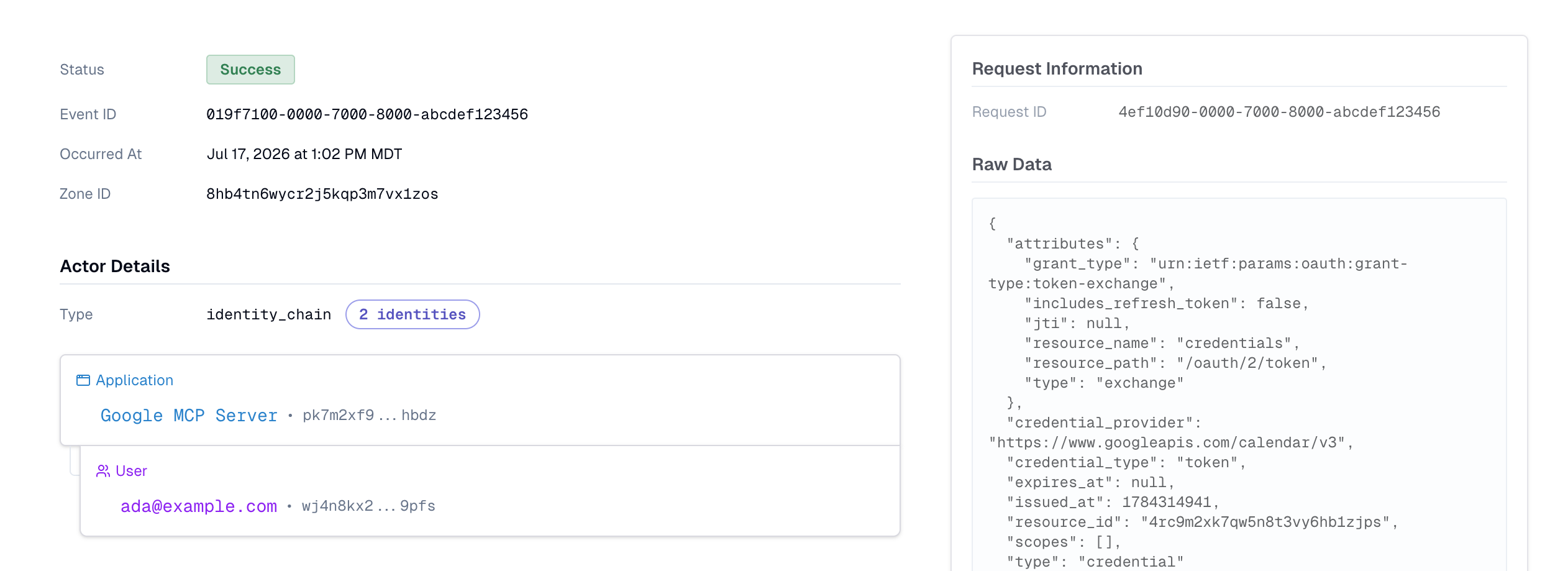
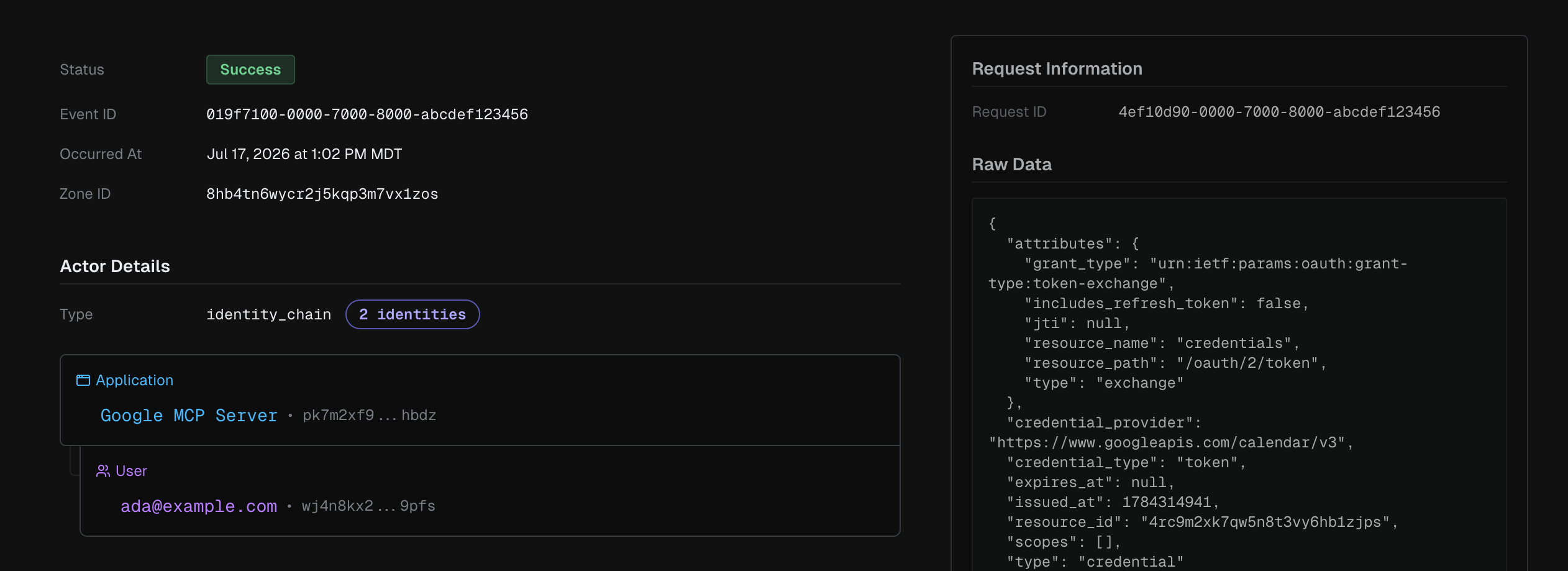
Section titled “Read a single authorization decision”Open the Audit Log from the left nav and select any event to expand its detail. A single event tells you the whole shape of one decision:
- Status —
SuccessorFailure. - Actor Details — the identity chain behind the call. Its Type is
identity_chain, and it lists each identity in the delegation path: the caller, then the User it acted for. A coding agent such as Claude Code appears as a User_agent, and an MCP server calling a downstream API appears as an Application. This is how you read the composite identity on a decision — the User, the agent acting for them, and (through the entry below) the Resource they reached. - Entity — the Resource the call targeted (for example,
Google Calendar API). - Raw Data — the machine-readable record: the action (such as
credentials:issue), the requestedscopes, theresource_path(for example,/oauth/2/token), and — on a failure — theerror_code.
Trace one action end to end
Section titled “Trace one action end to end”A single action moves through a predictable lifecycle. In the Audit Log you’ll see the stages as separate events; in a Session timeline you’ll see them stitched together in order:
users:authenticate— the caller’s identity was verified.users:authorize— for a Resource whose credential comes from an upstream Provider, such as GitHub, Keycard received that Provider’s OAuth callback after the User approved access there. The Entity is that Resource, such as GitHub API.- A grant recorded the User’s consent. Grant creation
(
delegated-grants:create) shows on the User’s and the Resource’s Activity feeds, and revocation (delegated-grants:revoke) on the Resource’s, not as Audit Log rows today. credentials:issue— Keycard checked policy and issued the short-lived credential. The event’s Raw Data carries thepolicy_set_idit checked.
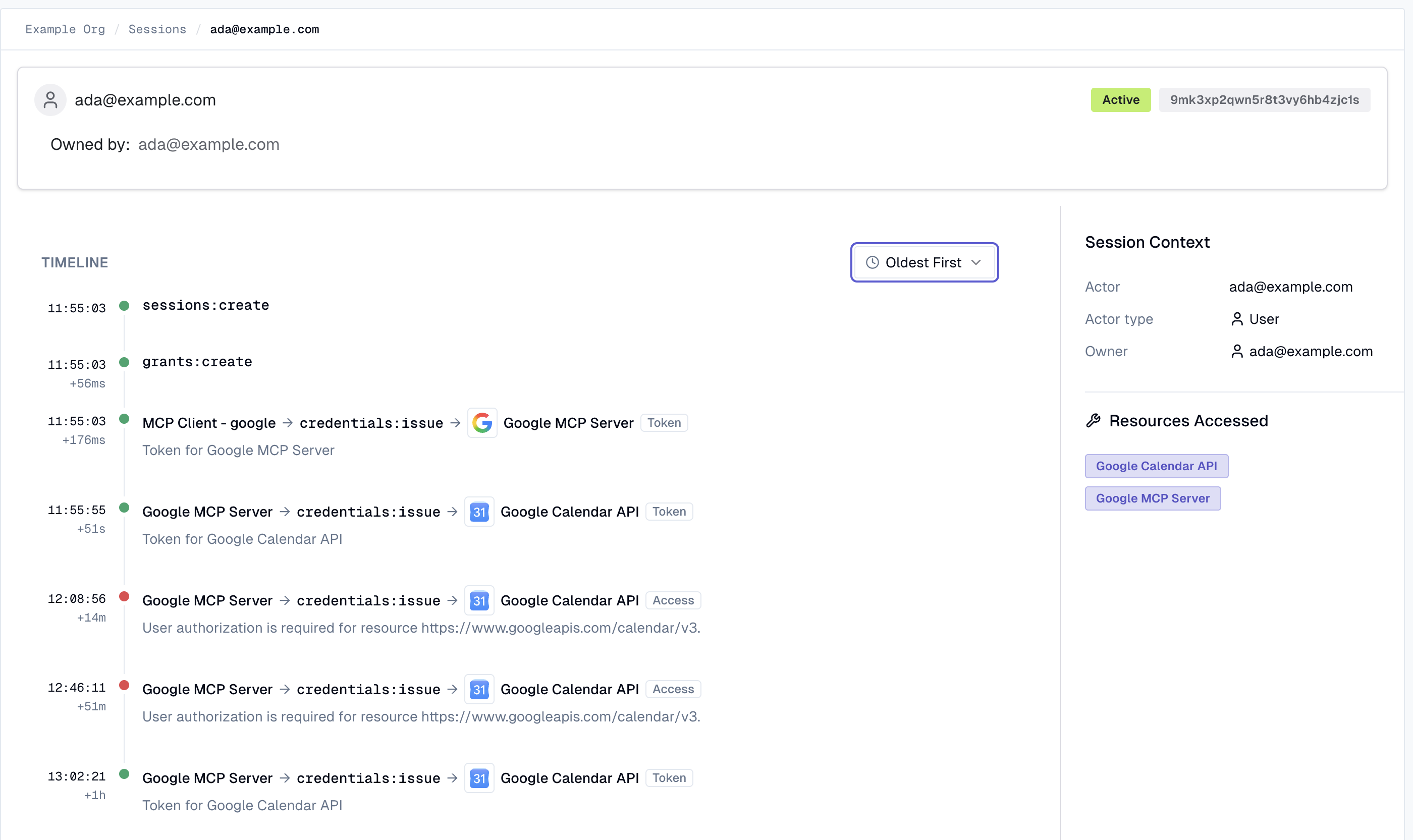
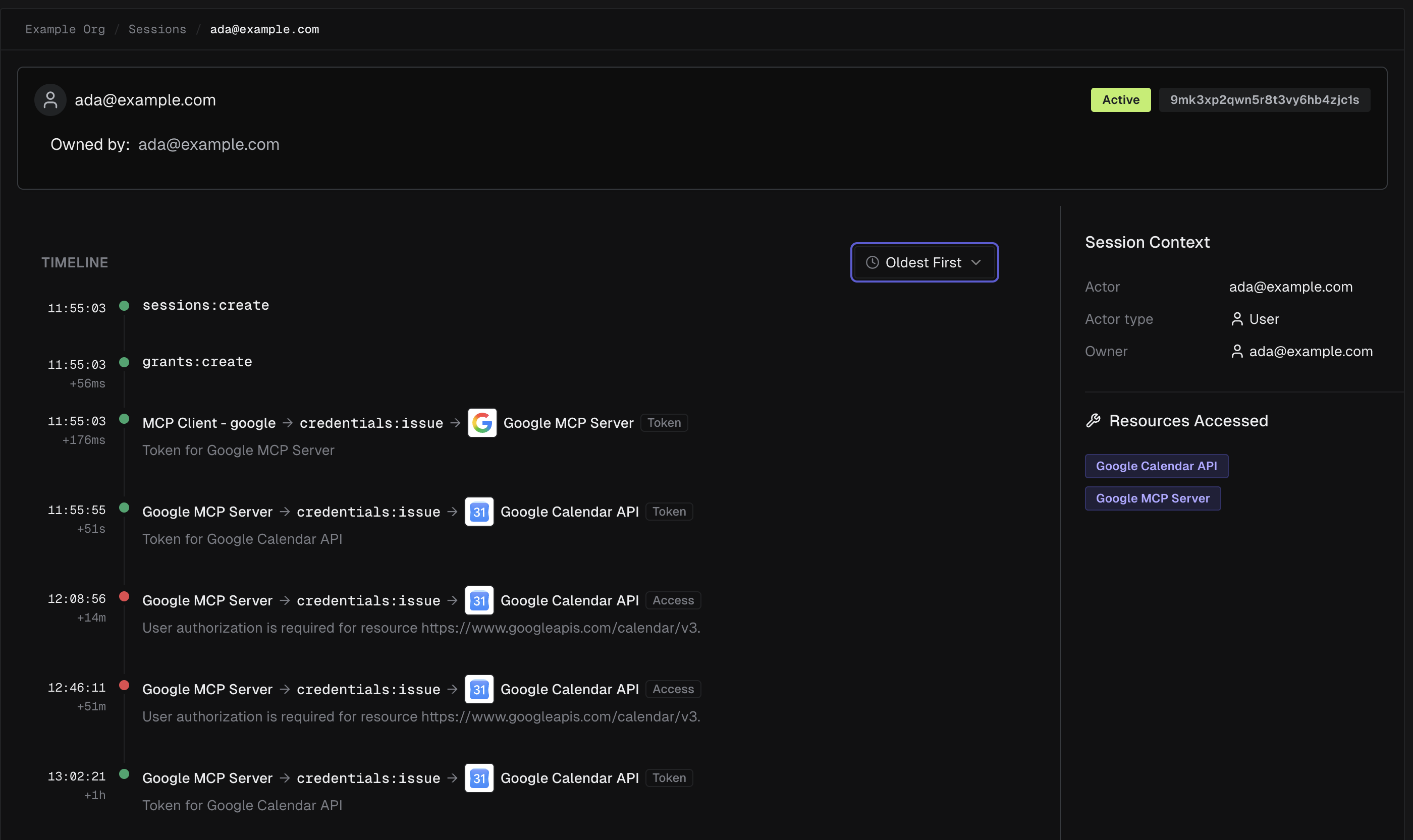
To follow one run, open Sessions and select a session. The Timeline lists that session’s
events newest first (Most Recent; switch it to Oldest First to read the run in order), rendering
each credential exchange as a delegation hop (agent → credentials:issue → Resource), so a two-hop
flow reads as the client getting a token for the MCP server, then the MCP server getting a token for
the downstream Resource. Session Context
names the actor and owner, and Resources Accessed lists every Resource the session touched.
Find both sides of a deny
Section titled “Find both sides of a deny”When a call is refused, the Audit Log records both the attempt and the reason. The denied call appears
as a Failure event; the error_code in its Raw Data tells you which kind of denial it was:
access_denied— policy denied the request. If a policy forbade it, the Error Message names that policy and its policy set — for example, Access to “Google Calendar API” is denied by Policy “restrict-calendar-access” in version 1 of Policy Set “default-zone-policies” — so you can open Policies and read the rule. Otherwise no policy permitted it, and the message names no policy, for example User “alice@acme.com” is not allowed to access “GitHub API”.insufficient_authorization— there was no grant to satisfy the request (the User never consented, or the grant was revoked). This is distinct from a policy denial.
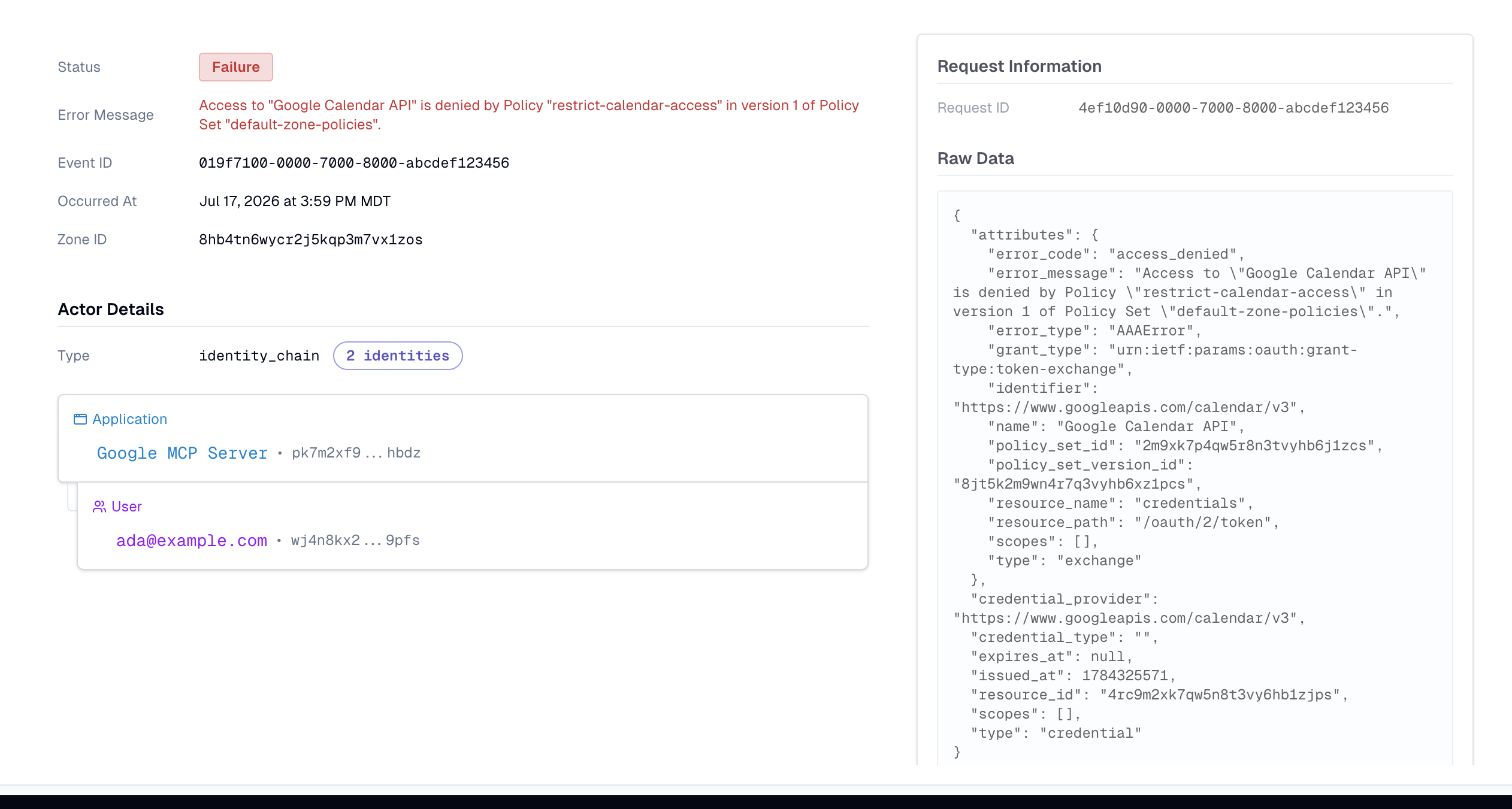
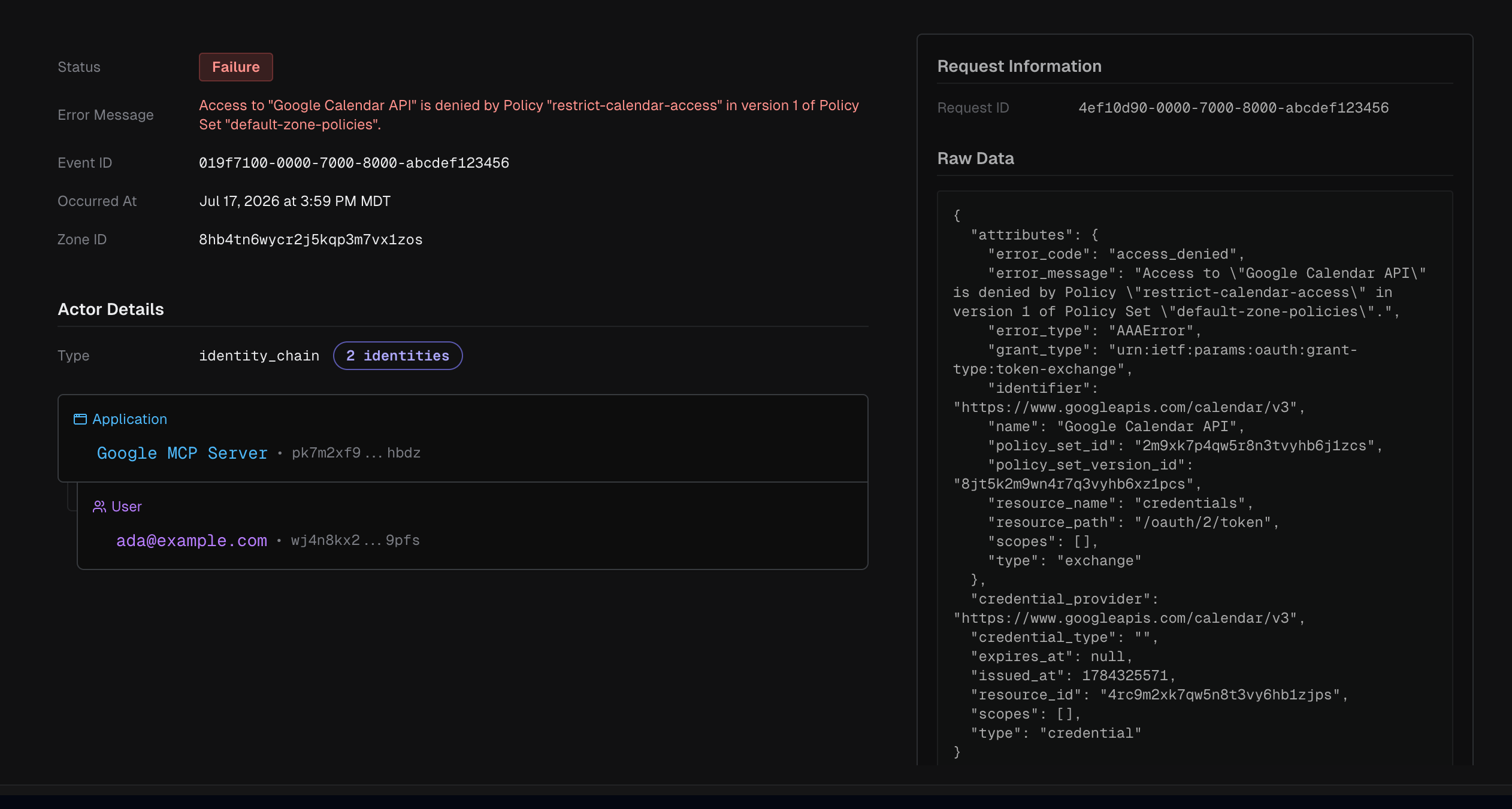
So both sides of a deny are in the log: the Failure event is the call, and the error says why.
A policy_set_id on a Failure is the set Keycard checked, and error_code says which check failed.
Keycard checks who the caller is, then policy, then the grant, then issues the credential, so after a
revocation the Failure carries the set that allowed the request.
Sessions vs. the Audit Log: when to look at which
Section titled “Sessions vs. the Audit Log: when to look at which”Use the Audit Log when you’re starting from an event — searching by Actor,
action, Resource, or category (API Call, Management Event, Service Event), or filtering to
Failures to find every refused call. Use Sessions when you’re starting from a sign-in and want
everything done with it in order. When the question is about
one Resource or one agent rather than the whole Zone, start from that entity’s Activity tab instead;
Read an Activity Feed covers it.
Verify a revocation
Section titled “Verify a revocation”A common eval check is revoking access and confirming it took effect. The Audit Log shows both the change and its consequence:
-
Revoke the grant. Follow Revoke access. The grant’s Status flips to Revoked.
-
Trigger the agent again. Its next credential request has no grant to satisfy it.
-
Find both sides in the log. The retry appears as a Failure
credentials:issueevent on/oauth/2/tokenwitherror_codeinsufficient_authorization, and the grant now shows as Revoked. From the grant’s actions menu, View in audit log opens the Audit Log filtered to that User’s events.
Where export fits
Section titled “Where export fits”Everything in the Audit Log can be streamed to your own AWS S3 bucket in OCSF (Parquet) format for your SIEM or data warehouse, delivered within the hour. Setup is a one-time, support-assisted step.
Related
Section titled “Related”- Read an Activity Feed — one entity’s events, from its detail page
- Revoke access — withdraw an authorization and confirm it in the log
- Access Policies — the rules that decide
access_denied - Credential Issuance — how Keycard issues and chains the credentials you see
- Audit Log Export — stream events to your SIEM
- Roles & Permissions — who can view sessions and audit logs